 By
By Oracle APEX toast notification options don’t have to stop at the built-in apex.message.showPageSuccess message. It works fine, but it also looks exactly like every other APEX app on the internet. These five JavaScript libraries offer different styling options without requiring a front-end build pipeline. Four are dependency-free; Toastr requires jQuery. Each still needs compatible assets, safe message handling and testing in your APEX theme.
Revision scope: the five-library comparison and original screenshots are retained. The corrected integration snippets below are documentation-reviewed examples, not newly executed APEX/runtime tests. Keep native validation errors intact, and show a success toast only after a confirmed successful operation.
Why Bother With an Oracle APEX Toast Notification at All?
apex.message.showPageSuccess() and the built-in error region are reliable, accessible, and require zero setup. Nothing in this article is telling you they’re broken.
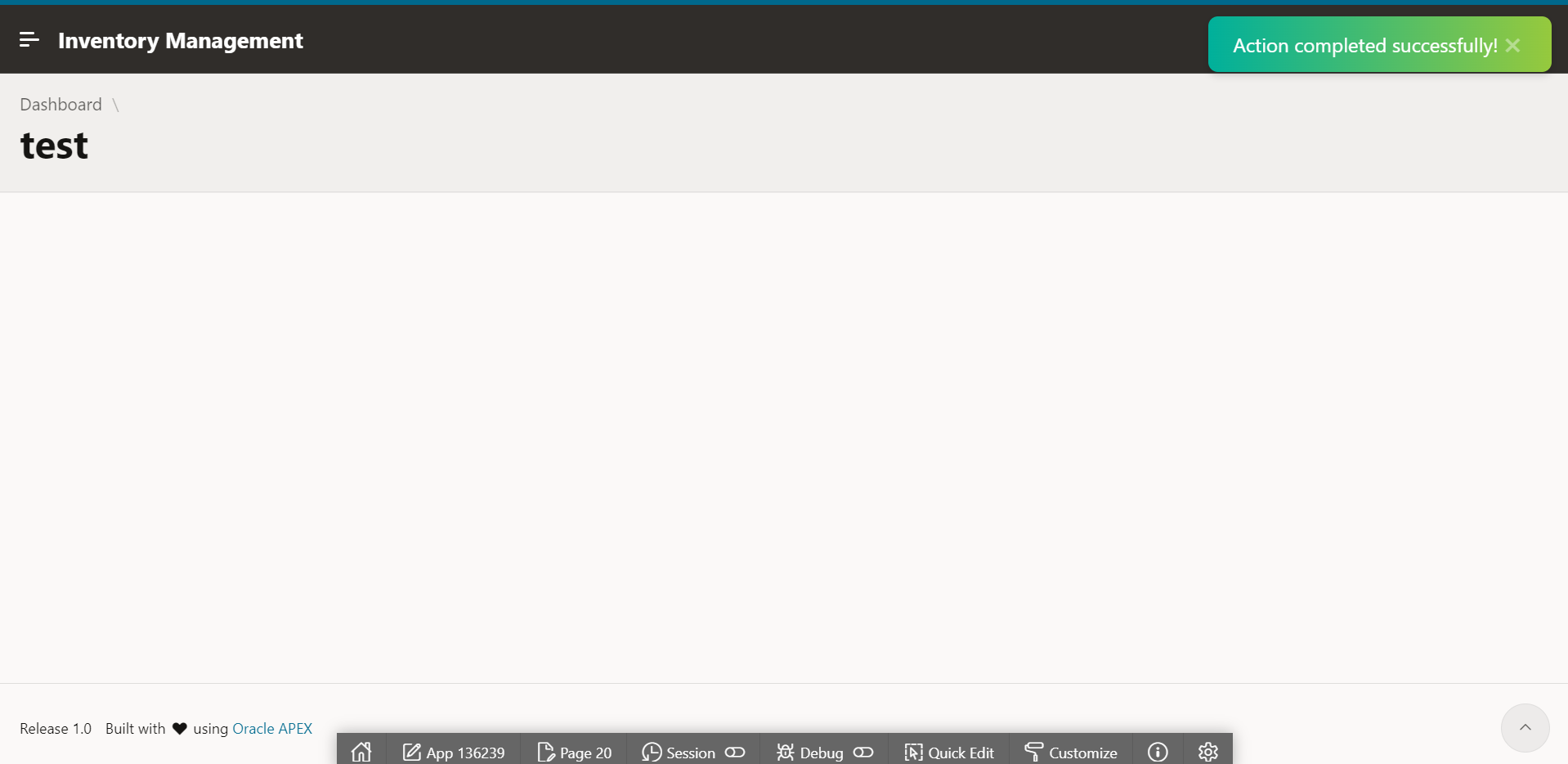
What they are is visually flat, and every default APEX app looks identical because of it. A toast library changes almost nothing about your application logic and changes everything about how finished the app feels to a client sitting across the table from you during a demo. If you care about the kind of visual polish that separates a “built by a developer” app from a “built by a product team” app, this is one of the cheapest upgrades available. I cover the same instinct from a layout angle in Oracle APEX Banner to Instantly Avoid Dev vs Prod Mistakes, small visual signals carry more weight than developers usually give them credit for.
How to Load Any Oracle APEX Toast Notification Library Into Your App
Each library has a browser build and stylesheet; load the chosen compatible files at page or application level. Toastr also needs its supported jQuery dependency available first. No npm, no bundler, no Node build step. In Shared Components, go to User Interface > User Interface Attributes, then the JavaScript and CSS File URLs sections (APEX 23.2), and add the File URLs for the one library you choose. Load the library before your initialization code. When writing jQuery-based APEX code, use apex.jQuery rather than assuming the global $ alias exists:
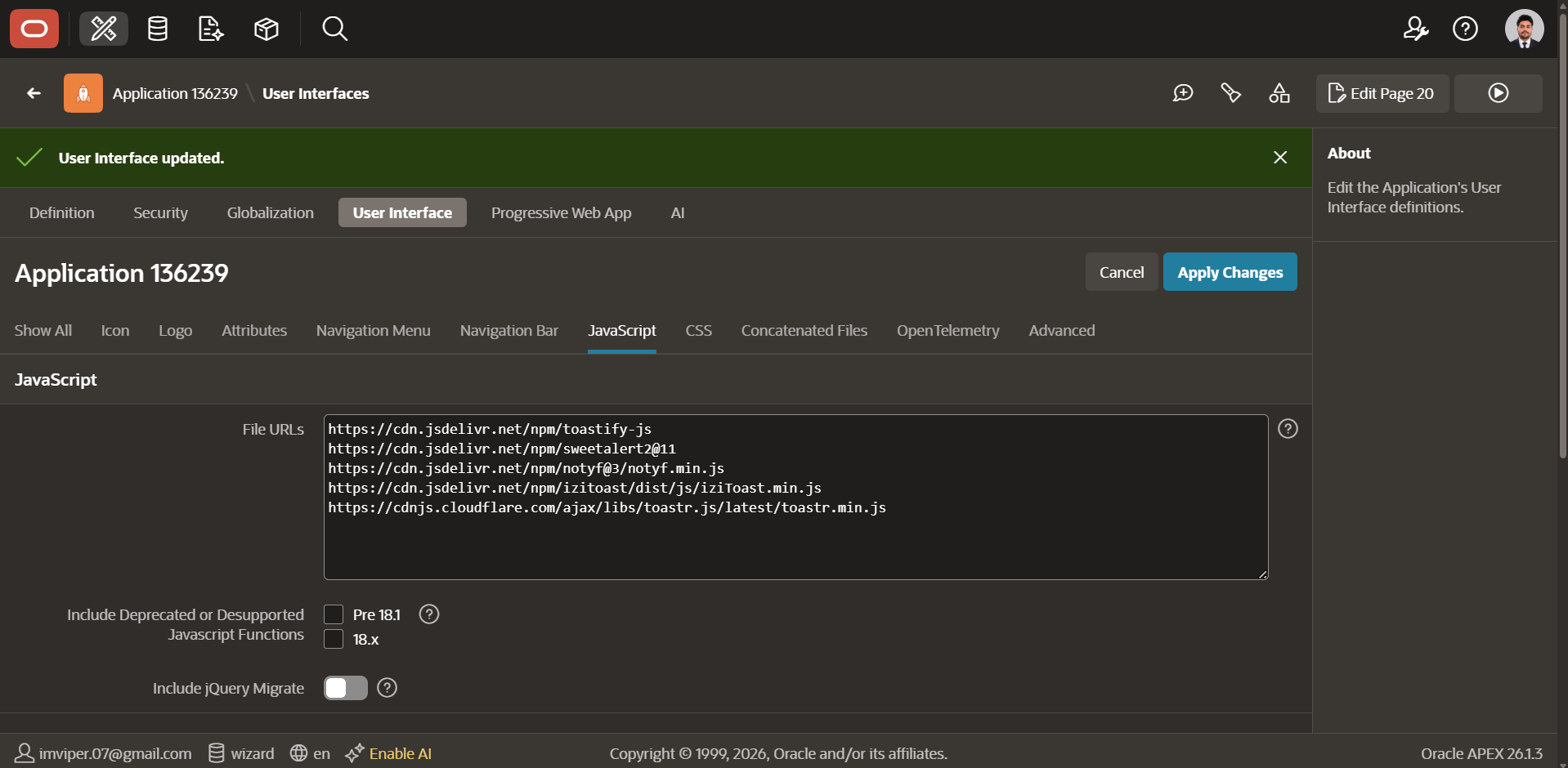
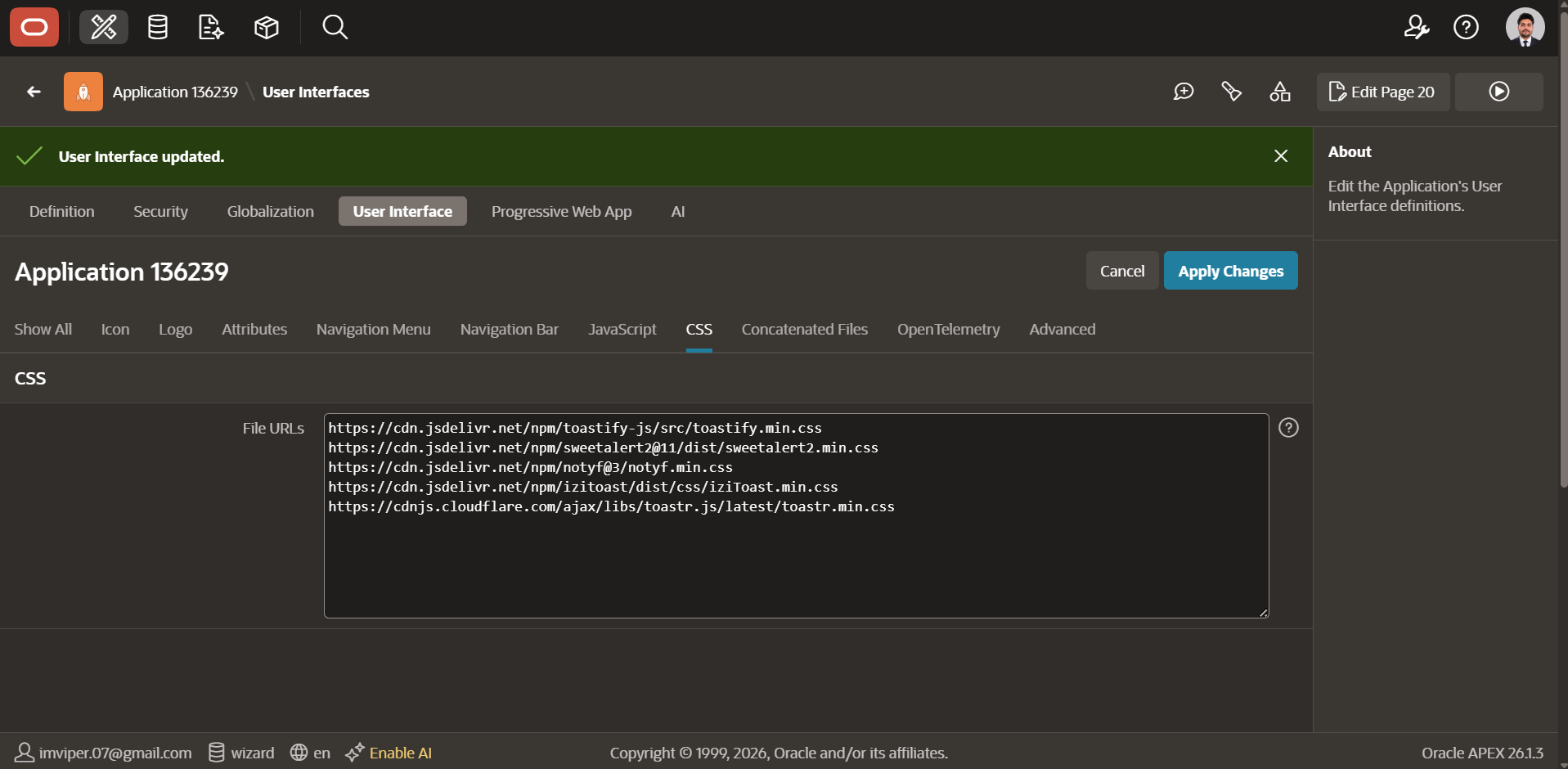
Version and input scope: the CDN examples below are the original demonstration aliases, not a pinned production bill of materials. They may resolve to different releases over time. Before deployment, choose exact JS/CSS release versions, pin or self-host them, verify dependency order and Content Security Policy, and record the versions tested in your APEX/theme. The original screenshots do not establish a tested version matrix for this revision. The five individual library demos use fixed developer-written messages; do not replace those literals with raw user/database HTML.
An opt-in, text-only success helper
For the Toastr path, load this application JavaScript after Toastr. It uses a dedicated namespace rather than replacing APEX APIs. The input contract is a non-empty plain-text string up to 1,000 characters (an example application limit). The Toastr call enables its documented HTML escaping; the native fallback escapes text as well. Oracle documents that showPageSuccess also clears existing errors, so call this helper only when the current operation has no unresolved validation errors. For the APEX 23.2 loading path, see User Interface Attributes.
window.owhNotifications = window.owhNotifications || {};
window.owhNotifications.successText = function (message) {
    if (typeof message !== 'string' || !message.trim() || message.length > 1000) {
        throw new Error('Expected a short plain-text success message.');
    }
    if (window.toastr && typeof window.toastr.success === 'function') {
        window.toastr.success(message, '', { escapeHtml: true });
    } else {
        apex.message.showPageSuccess(apex.util.escapeHTML(message));
    }
};
Firing a toast from a Dynamic Action
Add an Execute JavaScript Code True Action only in the confirmed-success branch of your operation. For an asynchronous server action, wait for its result and check its business-success condition; merely placing another action after a button click does not prove that data was saved. This call demonstrates presentation only:
// Call only after the application confirms the save succeeded.
owhNotifications.successText("Your changes have been saved.");
Firing a toast from inside a Process (Ajax callback)
The following is a client integration template, not a complete save implementation. It assumes an existing authorized Ajax Callback named SAVE_RECORD, page items P1_ID and P1_NAME, and a response contract containing the JSON boolean {"ok":true} only after the intended save succeeds. That callback must perform its own access checks and business validation, define its transaction policy and return valid JSON. Adapt the submitted item names to your page. A successful HTTP/Ajax response alone does not prove business success; see the apex.server.process contract.
function showSaveFailure() {
    apex.message.showErrors({
        type: 'error', location: 'page',
        message: 'The save was not confirmed. Review the form and try again.',
        unsafe: true
    });
}
apex.server.process('SAVE_RECORD', {
    pageItems: '#P1_ID,#P1_NAME'
}, {
    dataType: 'json',
    success: function (data) {
        if (data && data.ok === true) {
            owhNotifications.successText('Record saved.');
        } else {
            showSaveFailure();
        }
    },
    error: showSaveFailure
});
The failure message is fixed text; raw server exceptions and arbitrary response messages are not inserted into a toast. Native errors keep their normal error-stack/focus behavior. Coordinate duplicate-click prevention and retry handling with the real save operation, especially after an uncertain network failure.
1. Toastify-js
Zero dependencies~3KB
Lightweight, non-blocking, and completely unopinionated about styling, which makes it the easiest one to skin into a custom look. The screenshot below is a custom glassmorphism treatment built entirely with CSS overrides on top of Toastify’s base markup, proof that “minimal library” doesn’t mean “limited look.”
<!-- Shared Components > JavaScript > File URLs -->
https://cdn.jsdelivr.net/npm/toastify-js

<!-- Shared Components > CSS > File URLs -->
https://cdn.jsdelivr.net/npm/toastify-js/src/toastify.min.css
Toastify({
text: "Record saved successfully!",
escapeMarkup: true,
duration: 3000,
gravity: "top",
position: "right",
style: {
background: "linear-gradient(to right, #00b09b, #96c93d)"
}
}).showToast();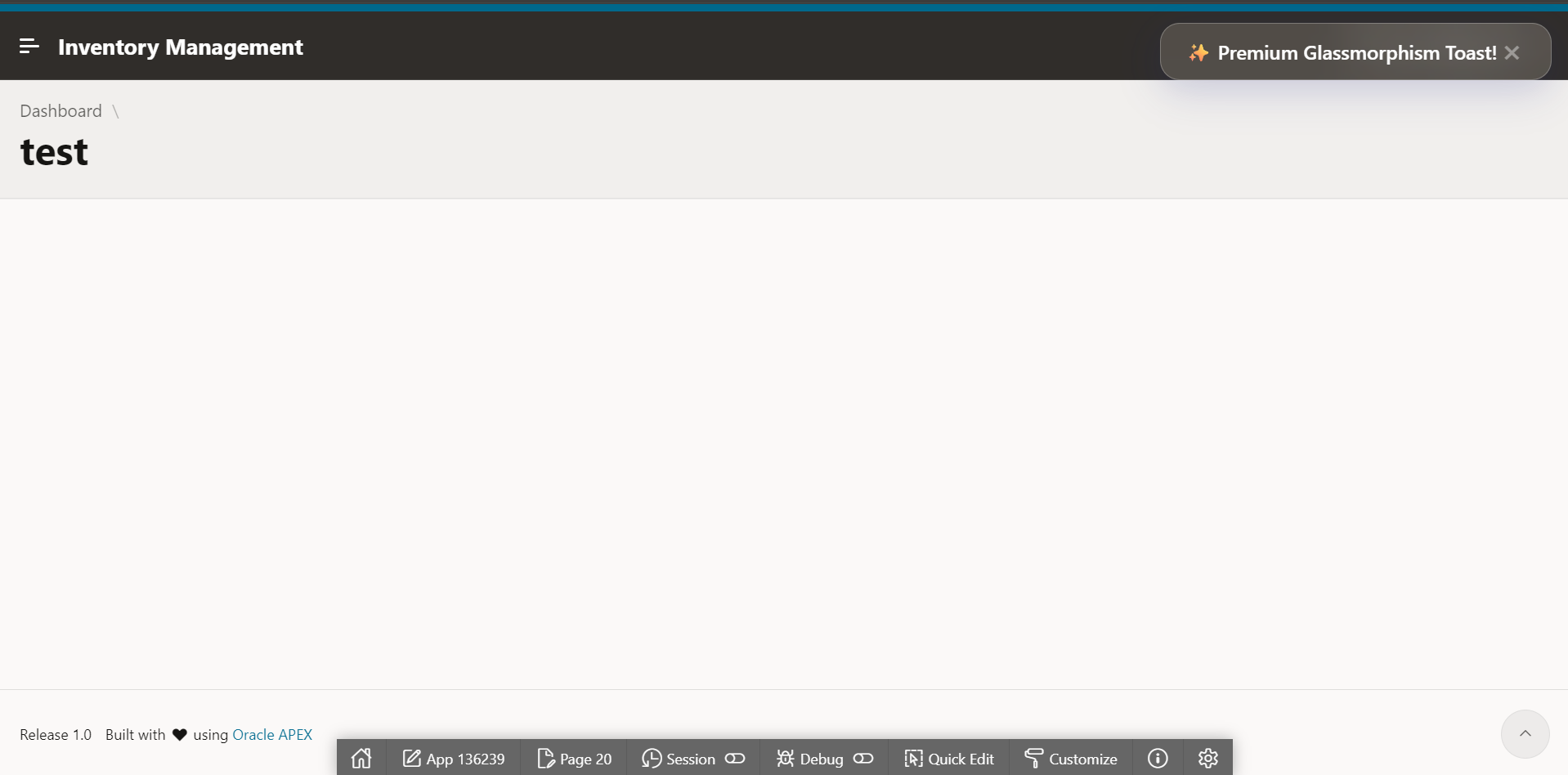
github.com/apvarun/toastify-js
2. SweetAlert2
Rich stylingAccessible
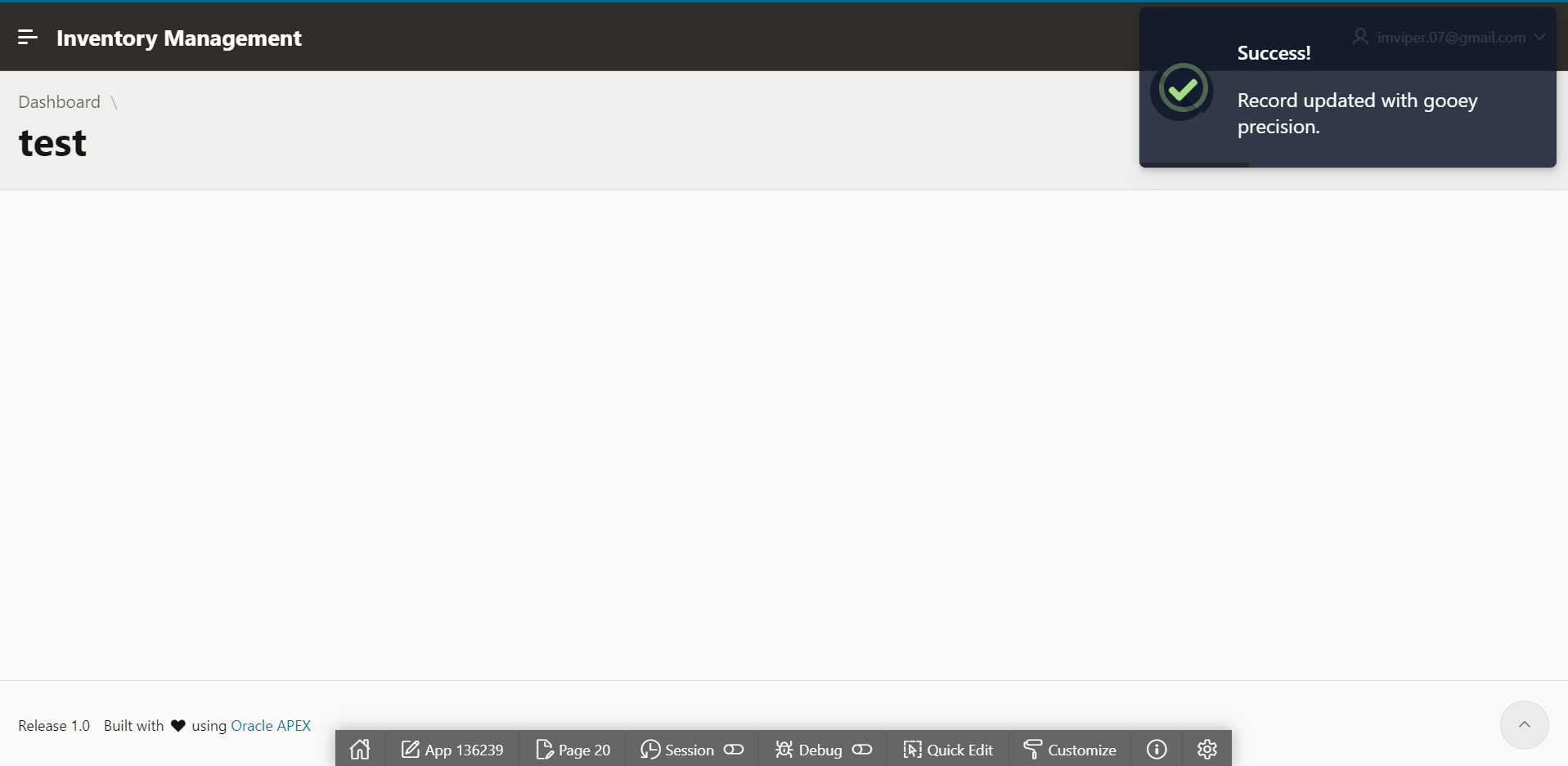
SweetAlert2 is usually known for full-screen modal alerts, but it has a dedicated toast mode that’s genuinely the most polished-looking option of the five out of the box. Its broader feature set may justify a larger payload; measure the exact build you load. Use a modal confirmation for consequential decisions rather than an auto-disappearing toast.
<!-- Shared Components > JavaScript > File URLs -->
https://cdn.jsdelivr.net/npm/sweetalert2@11

<!-- Shared Components > CSS > File URLs -->
https://cdn.jsdelivr.net/npm/sweetalert2@11/dist/sweetalert2.min.css
Swal.fire({
toast: true,
position: "top-end",
icon: "success",
titleText: "Record updated successfully.",
showConfirmButton: false,
timer: 3000
});
github.com/sweetalert2/sweetalert2
3. Notyf
Zero dependencies~3KB
Notyf is the one to reach for when you want something that looks like it belongs in a modern SaaS product and nothing more. No configuration required to look good, the default styling alone reads clean and current. Create one Notyf instance and reuse it. A variable declared inside a Page Load Dynamic Action callback is not automatically available to every other callback, so the example uses an explicit window namespace. Keep untrusted content out of its HTML-capable message input unless safely escaped for the pinned version.
<!-- Shared Components > JavaScript > File URLs -->
https://cdn.jsdelivr.net/npm/notyf@3/notyf.min.js

<!-- Shared Components > CSS > File URLs -->
https://cdn.jsdelivr.net/npm/notyf@3/notyf.min.css
// Load after the Notyf library, once per page.
window.owhNotifications = window.owhNotifications || {};
window.owhNotifications.notyf = window.owhNotifications.notyf || new Notyf();
// Later, after initialization; these are fixed-text demonstration calls.
owhNotifications.notyf.success("Data synchronized successfully!");
owhNotifications.notyf.error("Sync failed. Try again.");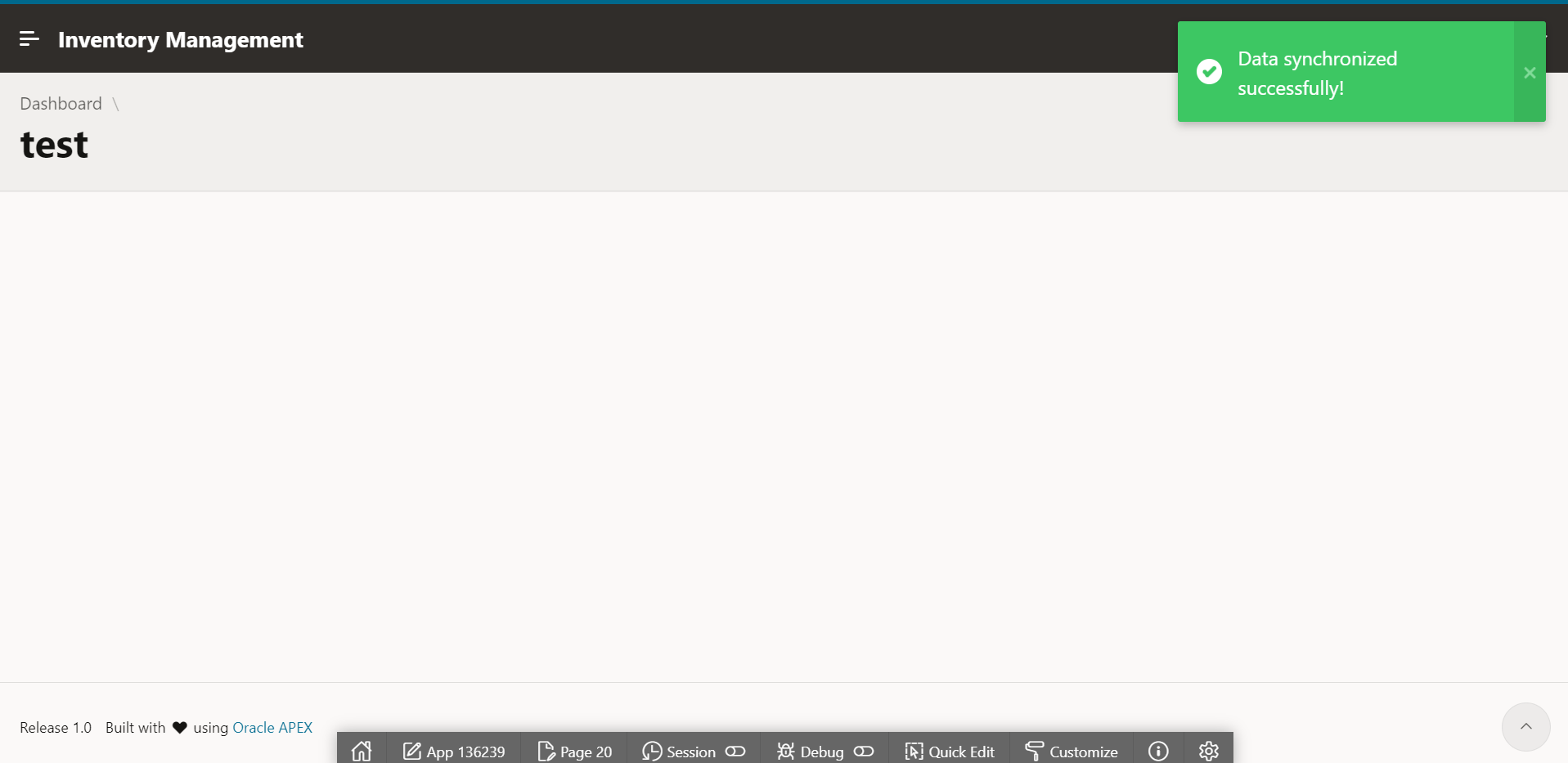
4. iziToast
Physics-based animationHighly configurable
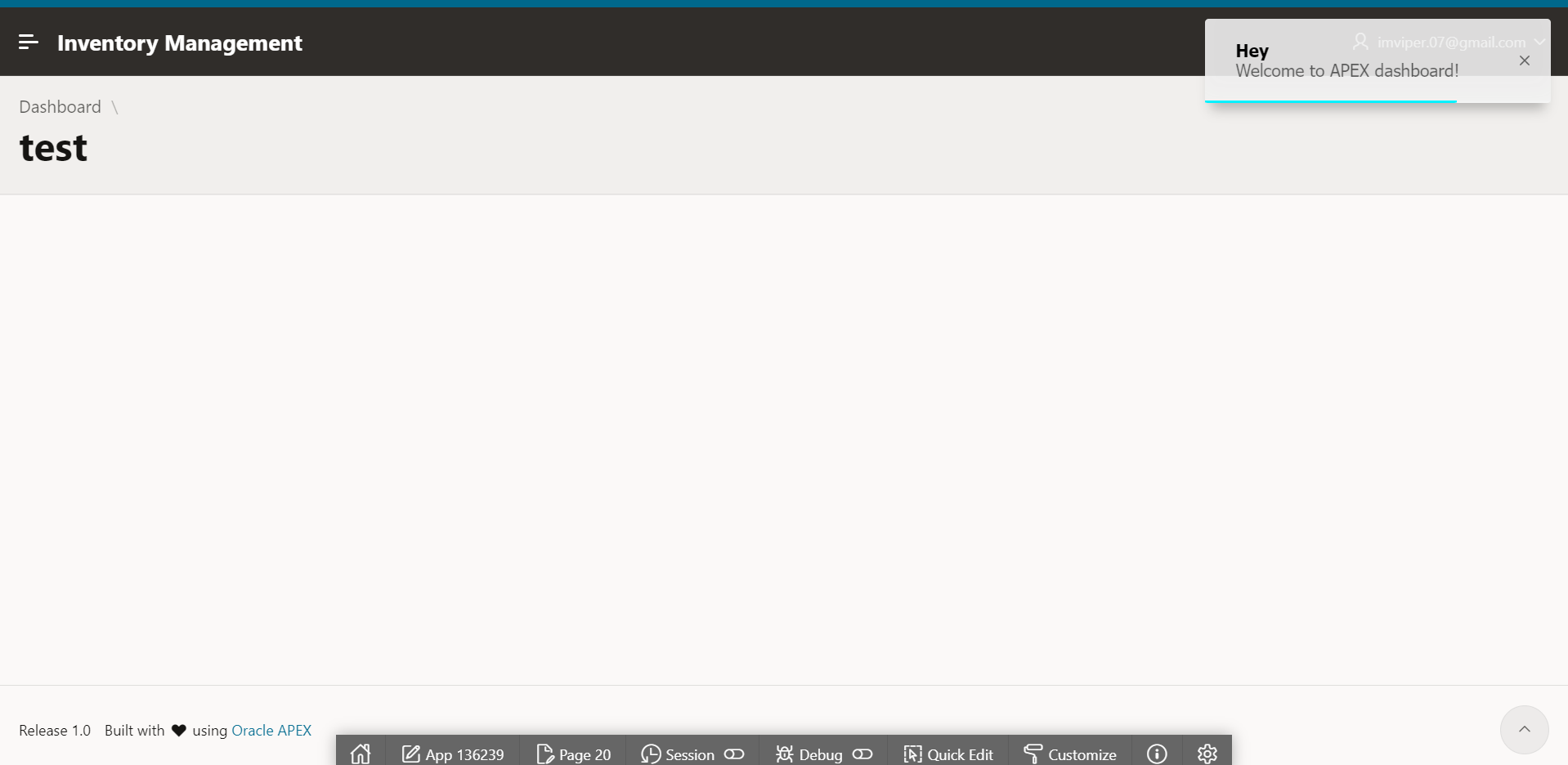
iziToast is the one built for motion. Bounce, flip, and slide transitions are built in, along with fine control over position, layout, and color themes. If a client wants something with more visual presence than a flat slide-in, this is usually the fastest way to deliver it without writing custom CSS animations yourself.
<!-- Shared Components > JavaScript > File URLs -->
https://cdn.jsdelivr.net/npm/izitoast/dist/js/iziToast.min.js

<!-- Shared Components > CSS > File URLs -->
https://cdn.jsdelivr.net/npm/izitoast/dist/css/iziToast.min.css
iziToast.success({
title: "Success",
message: "Record updated successfully.",
position: "topRight"
});
github.com/marcelodolza/iziToast
5. Toastr
jQuery-basedBattle-tested
Toastr is a long-established jQuery-based option. Check that the jQuery instance expected by the selected browser build is available before loading it in your APEX application. Do not load an unrelated second jQuery copy or assume every page exposes a global $ alias. The tradeoff is a slightly dated default look compared to Notyf or SweetAlert2, though it’s easy to restyle with CSS overrides if you want it.
<!-- Shared Components > JavaScript > File URLs -->
https://cdnjs.cloudflare.com/ajax/libs/toastr.js/latest/toastr.min.js

<!-- Shared Components > CSS > File URLs -->
https://cdnjs.cloudflare.com/ajax/libs/toastr.js/latest/toastr.min.css
toastr.options.escapeHtml = true;
toastr.success("Your changes have been saved.", "Database Updated");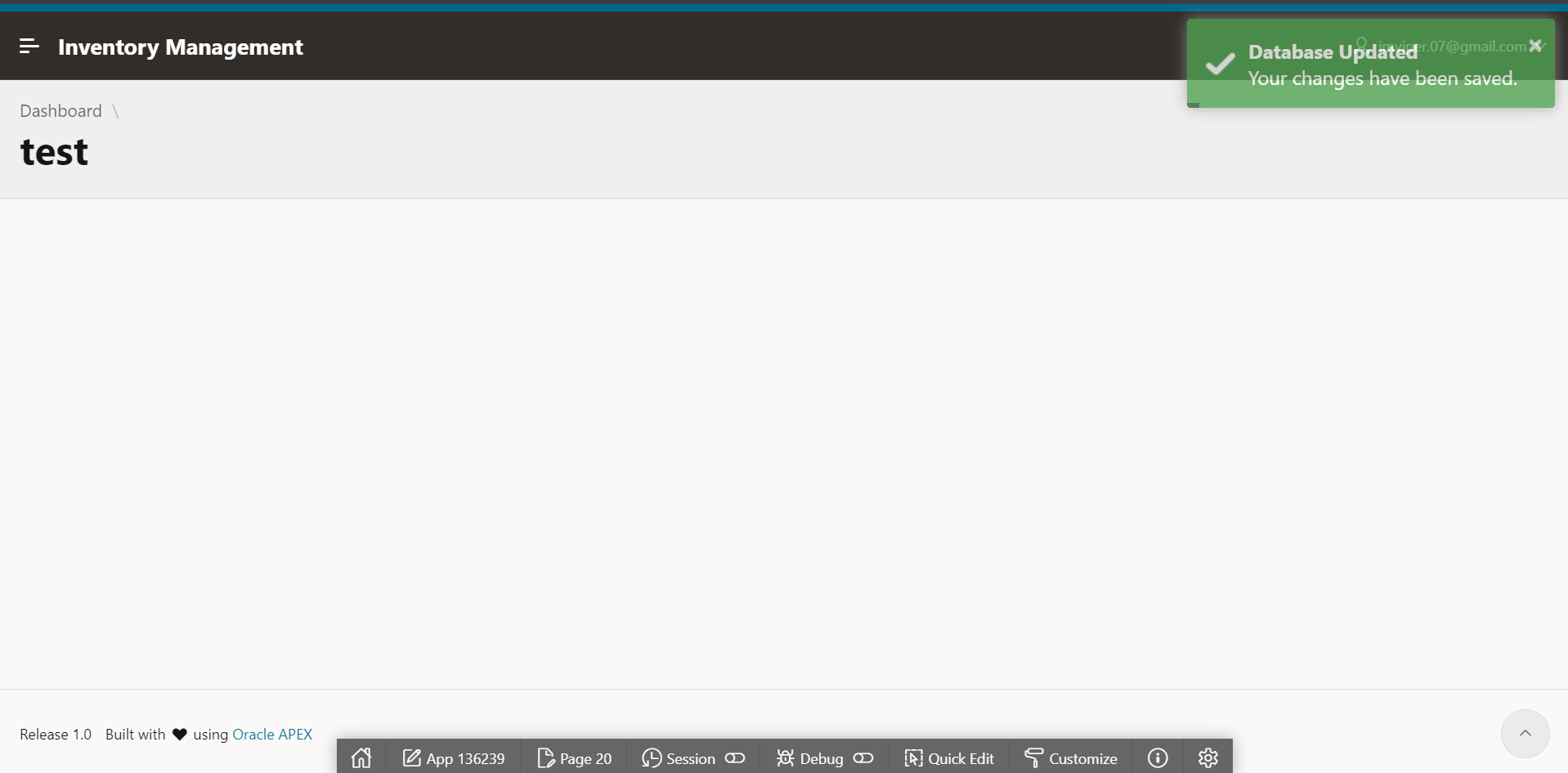
Keep APEX Error Handling; Customize Success Deliberately
The earlier version replaced apex.message.showErrors globally. Do not use that override. The supported API accepts either one error object or an array and manages page/inline placement, focus, the error stack and escaping. Passing every message straight to a toast loses that behavior and can render unsafe HTML. The unsafe: true flag in the native error example above tells APEX to escape the message.
Use the opt-in success helper for the operations you control. If you maintain the theme, Oracle also provides setThemeHooks. This conservative example only adds a CSS class to success notifications; it leaves errors and the standard display/hide behavior intact:
apex.message.setThemeHooks({
    beforeShow: function (messageType, element$) {
        if (messageType === apex.message.TYPE.SUCCESS) {
            element$.addClass('owh-success-notice');
        }
        // No false return: preserve APEX's normal display behavior.
    },
    beforeHide: function (messageType, element$) {
        if (messageType === apex.message.TYPE.SUCCESS) {
            element$.removeClass('owh-success-notice');
        }
    }
});
Put this in the theme’s initialization path and integrate it with any existing hooks rather than registering competing handlers blindly. Define your own scoped .owh-success-notice styling. This is not a universal interception of every server-rendered notification, modal dialog or Interactive Grid message. Test the specific navigation and Ajax flows your app uses.
Before release, verify successful and rejected saves, native inline errors and focus, literal markup in message text, missing-library fallback, keyboard/screen-reader behavior, reduced motion and enough time to read notifications. Keep important errors available until the user can address them. These are acceptance checks, not newly completed test results for this article.
Which Oracle APEX Toast Notification Library Should You Actually Pick?
| Library | Approximate original JS estimate | Dependency | Best fit |
|---|---|---|---|
| Toastify-js | ~3KB | None | Full custom styling, minimal base to build on |
| SweetAlert2 | ~25KB | None | Richest look out of the box, confirmation-style toasts |
| Notyf | ~3KB | None | Clean modern SaaS look with zero configuration |
| iziToast | ~10KB | None | Motion and animation, bounce/flip/slide |
| Toastr | ~7KB | jQuery; verify load order | Fastest to add, most familiar API |
The size figures are rough original estimates, not a new benchmark or fixed download guarantee. Release, build, compression and included CSS change the real transfer size. Measure your pinned assets rather than choosing on these numbers alone.
If you want the smallest possible footprint with room to fully restyle, start with Toastify or Notyf. If you want something that looks finished the moment you add the CDN link with no CSS work at all, Notyf or SweetAlert2. If your team already uses a compatible jQuery setup, Toastr offers a familiar API. Native APEX messages are also a valid choice when their accessibility, consistency and lower maintenance cost suit the application. If you want a related trick for surfacing information without adding extra round trips to the page, the Smart Task Tracker article covers a similar “show more with less” instinct applied to reports instead of notifications.
Choose the visual treatment that fits your users, then keep the integration small: one library, explicit success signals, text-safe messages and native validation behavior. Styling is useful only when it makes the application clearer without weakening its feedback or error handling.