 By
By I Built a Signature Plugin for Oracle APEX Because Everything Else Was Broken
If you have ever needed to capture a digital signature inside an Oracle APEX application, you already know what happens when you search for a plugin.
Old code. Abandoned repos. Bug reports with zero replies.
I went through this exact experience. Spent time testing what was out there. Nothing worked properly. So I sat down and built BioSig Pro from scratch. It is free, open source, and it handles everything the old plugins never could, mobile, stylus, BLOB storage, text signatures, rotation.
This article covers what it does, why I made certain decisions, and how you can drop it into your own APEX app today.
What you will learn:
- Why existing Oracle APEX signature plugins fail in real projects
- How BioSig Pro handles mouse, touch, and stylus input automatically
- The exact APEX session state setting that silently corrupts signatures (and how to avoid it)
- How to install and configure it in under 10 minutes
GitHub: github.com/Darkhound-droid/biosig-pro
Why I Did Not Just Use an Existing Oracle APEX Signature Plugin
The most popular free option on GitHub has not had a commit in almost 9 years. There are open issues asking basic questions like “does this work on mobile?” with no response. Ever.
The commercial options wanted me to route signature data through their external servers. That was never going to happen on an enterprise application.
I also tried the DIY route using a tutorial I found. Built it. It worked on desktop. Then a real user signed on their phone and the whole thing fell apart. The tutorial used mousedown and mousemove events. Those are mouse-only. They have no concept of a finger or a stylus. Nobody mentioned that in the tutorial.
That is when I decided to just build it properly. One plugin that handles everything. No compromises.
What Does BioSig Pro Actually Do?
Before any code, here is the experience from the user’s side.
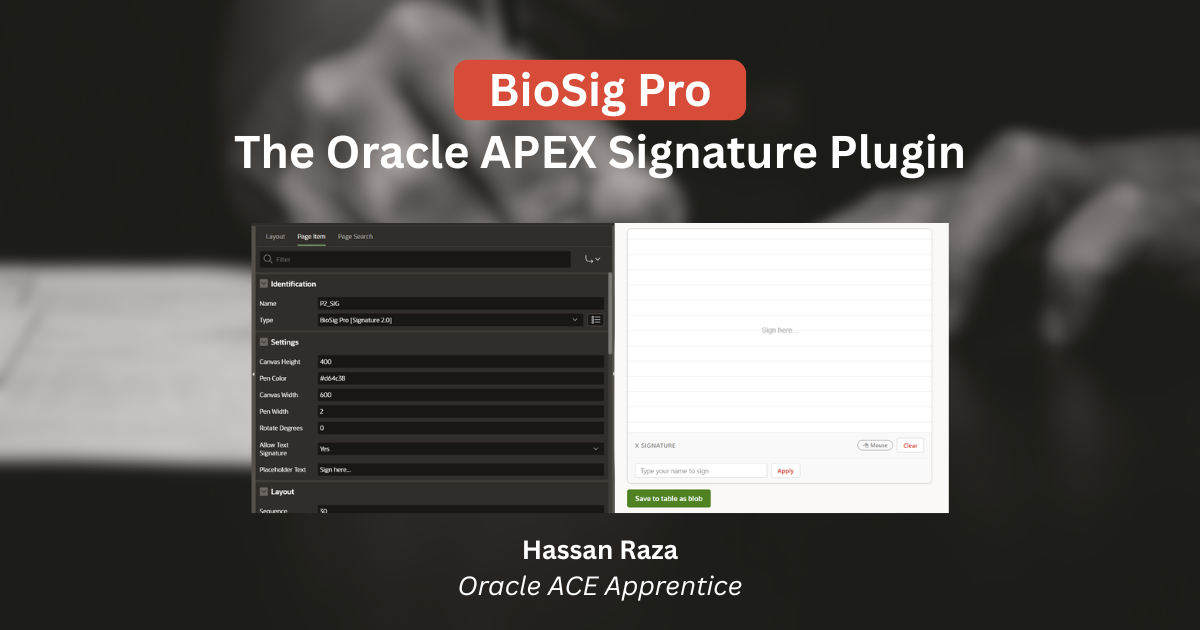
They open your APEX page. There is a signature pad. They sign with whatever they have mouse on desktop, finger on a phone, stylus on a tablet. The pad adjusts automatically to the input type. They hit Submit. The signature saves as a clean PNG image in your Oracle Database.
That is it.
The smart part is the automatic input detection. The plugin reads the pointer type on every stroke and adjusts the line width:
- Stylus gets a finer, more precise stroke
- Finger gets a slightly thicker stroke because fingers are less precise
- Mouse gets the standard width
No settings to configure. No user training needed.
There is also a live badge in the footer of the pad that shows “🖱 Mouse”, “👆 Finger”, or “🖊 Stylus” and updates in real time as soon as signing starts. It is a small detail but it tells the user their input is actually being recognized. In field service scenarios where workers sign on tablets, that kind of feedback matters more than you think.
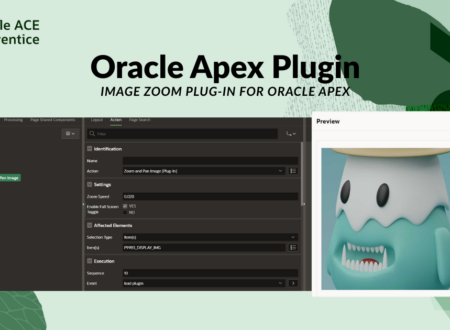
💡 You can also see a similar approach in my Image Zoom Plugin article where I used the same principle of detecting context and responding intelligently without asking the user to configure anything.
The Technical Decisions Behind It
Why the Pointer Events API Changes Everything
Old plugins use mousedown, mousemove, mouseup. BioSig Pro uses pointerdown, pointermove, pointerup.
The difference is massive. The Pointer Events API is one unified model that covers mouse, finger, and stylus. And e.pointerType tells you exactly which one is being used on every single stroke. That is how the automatic width adjustment works.
javascript
const applyPenStyle = (pointerType) => {
    ctx.lineJoin  = 'round';
    ctx.lineCap   = 'round';

    if (pointerType === 'pen') {
        ctx.lineWidth = (config.strokeWidth || 2) * 0.8;
    } else if (pointerType === 'touch') {
        ctx.lineWidth = (config.strokeWidth || 2) * 1.4;
    } else {
        ctx.lineWidth = config.strokeWidth || 2;
    }
};
This is why the signature looks natural regardless of what device the user is on. It is not one-size-fits-all.
The BLOB Storage Problem Nobody Talks About
This one caught me off guard and I want to save you the same debugging session.
The signature exports as a Base64 PNG string. It goes into APEX session state. Then a PL/SQL process converts it to a BLOB using apex_web_service.clobbase642blob and inserts it.
Here is the silent killer. If your page item session state is not set to Per Session (Disk), APEX truncates the Base64 string at 32KB. The row inserts fine. No error appears. But the BLOB is corrupted and the image is broken.
I spent a good amount of time staring at broken images in the database before I tracked this down.
⚠️ Always set the signature item to Per Session (Disk). This is the single most important setup step.
The submit process also has two guards built in:
sql
declare
    l_base64 clob := :P2_SIG;
    l_blob   blob;
begin
    if l_base64 is not null and length(trim(l_base64)) > 0 then
        l_blob := apex_web_service.clobbase642blob(l_base64);
        if dbms_lob.getlength(l_blob) > 0 then
            insert into uploads (
                uplo_file_blob, uplo_file_mime, uplo_file_name,
                uplo_created_by, uplo_created
            ) values (
                l_blob, 'image/png',
                'signature_' || to_char(sysdate, 'YYYYMMDD_HH24MISS') || '.png',
                :app_user, sysdate
            )
            returning uplo_id into :P2_UPLO_ID;
            :P2_SIG := null;
        end if;
    end if;
end;
length(trim(l_base64)) > 0 catches empty strings. dbms_lob.getlength(l_blob) > 0 catches failed conversions. Nothing corrupt goes into your table.
Other Features Worth Knowing
Text Signature Mode. Enable attribute 6 and users can type their name instead of drawing. It renders as italic cursive on the canvas and saves as the exact same PNG. Same BLOB. Same database column. Same submit process.
Rotation on Export. Set attribute 5 to 90 and the exported PNG rotates 90 degrees before saving. Useful for field workers signing on tablets held sideways. The rotation happens on an off-screen canvas so what the user sees while signing never changes.
7 Configurable Attributes. Everything from canvas size to pen color to placeholder text. All with sensible defaults so it works out of the box without touching anything.
APEX 24.2 Compatible. Unlike most older plugins where compatibility status is just unknown.
Who Is This Actually For?
If you are building APEX applications that involve any of these workflows, BioSig Pro will save you real time:
- HR onboarding and contract signing
- Delivery confirmation in field service apps
- Medical or pharmaceutical consent forms
- Legal approval workflows
- Any BLOB image scenario where users need to sign and that data needs to live in Oracle Database
It also saves you from owning custom code forever. Every browser update, every APEX release, every new device type becomes your problem if you build and maintain this yourself. With BioSig Pro it is handled.
🔗 If you are building enterprise APEX apps, also check out how I handled WhatsApp integration with ORDS and setting up Oracle APEX on Cloud Free Tier for more real-world setup guides.
How to Install BioSig Pro in 5 Steps
- Download the
.sqlplugin file from the Releases page - Go to Shared Components > Plug-ins > Import and upload it
- Upload the JS and CSS files to Static Application Files
- Add the plugin item to your page in Page Designer
- Set session state to Per Session (Disk) and add the submit process
Full step-by-step instructions with screenshots are in the installation docs.
What’s Coming Next
Two things I am actively working on for the next release:
- Blank canvas validation that blocks submission if the user has not actually signed anything
- Read-only display mode to render a saved signature BLOB back into a canvas for approval workflows
If you have a feature request or run into an issue, open a GitHub issue and I will look at it.
Your Next Step
The plugin is MIT licensed. Free forever.
If this saved you from hours of debugging broken old plugins, share it with someone on your team. And if you found the Per Session (Disk) tip useful, that alone has probably already saved your signature data.
FAQ
Does Oracle APEX have a built-in signature component?
No. APEX does not ship with a native signature capture component. You need a plugin to capture drawn or typed signatures and store them as BLOBs in Oracle Database.
Why does my signature save as a corrupted image in Oracle APEX?
Almost always this is the Per Session (Disk) issue. If your page item session state is not set to Per Session (Disk), APEX silently truncates the Base64 string at 32KB and you get a broken BLOB with no error.
Does BioSig Pro work on mobile and tablet?
Yes. It uses the Pointer Events API which handles mouse, finger, and stylus in one unified model. It is tested on iOS and Android.
Is BioSig Pro compatible with APEX 24.2?
Yes. Unlike most older community plugins where compatibility is unknown or untested.
Can users type their name instead of drawing?
Yes. Enable attribute 6 and a text input appears. The typed name renders as italic cursive on the canvas and exports as a PNG exactly like a drawn signature.
Is this related to the libbiosig biomedical library with the CVE vulnerabilities?
No. Zero relation. BioSig Pro is a native Oracle APEX Item Plugin built entirely on PL/SQL and JavaScript. No C code, no external dependencies, no third-party calls.
Hassan Raza
Oracle ACE Apprentice | SH Software Solution, Pakistan