
 By
By Every Oracle APEX developer has been there. A user calls you and says “something went wrong on that page.” You open the app, you try to reproduce it, nothing happens. You check APEX debug logs but debug mode was never turned on for that session. The error is gone. The trail is cold.
This is one of the most frustrating situations in enterprise APEX development. And it happens more than it should.
I work on an Oracle APEX application used by 7000+ users across our organization. At that scale, errors are not rare. They’re constant. Some are minor, some are critical, and some only happen at 2 AM when a scheduled job runs in the background. If you don’t have a proper logging strategy, you are genuinely flying blind in production.
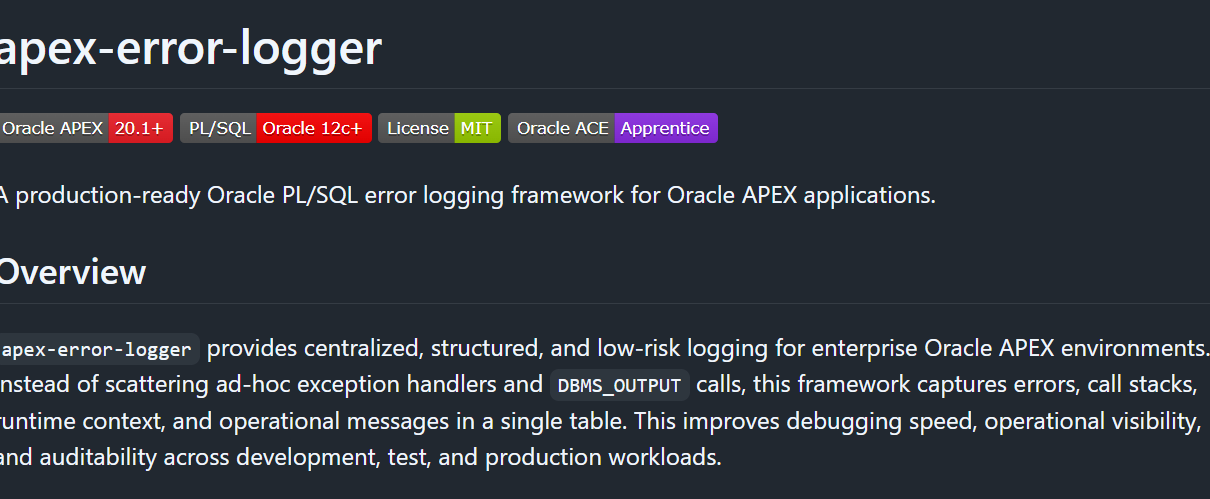
So I built something about it. This post covers apex-error-logger, a production-ready PL/SQL error logging framework I open-sourced on GitHub. I’ll walk through what it does, how it works, why I built it instead of just relying on APEX_DEBUG, and how you can use it in your own applications.
GitHub: https://github.com/Darkhound-droid/apex-error-logger
What’s Wrong With How Most People Handle Errors
Before I show you the framework, let me be honest about what most APEX developers actually do for error handling in production applications.
Most PL/SQL processes look something like this:
BEGIN
  -- business logic
EXCEPTION
  WHEN OTHERS THEN
    HTP.P('Error: ' || SQLERRM);
END;
Or even worse, no exception handler at all and just letting APEX show its generic error page.
The problems with this approach are obvious once you think about them. You get no persistent record of what happened. You get no context about who triggered the error, on which page, in which session. You get no call stack to understand where exactly in the execution the failure occurred. And you definitely get nothing from background jobs because those don’t even have a user session to show an error to.
Why Not Just Use APEX_DEBUG?
This is a fair question and one I want to answer properly because I got this same feedback when I shared the repo.
APEX_DEBUG is a great tool. I use it during development. But it is designed for development, not production monitoring. Here is the core limitation: APEX debug is session-bound. It only works when debug mode is explicitly enabled for an active web session. The moment a user logs out, that debug data is gone. And for DBMS_SCHEDULER jobs running in the background at 2 AM? There is no APEX session at all. APEX_DEBUG simply cannot reach those processes.
Here is a side-by-side comparison:
| Capability | APEX_DEBUG | PKG_ERROR_LOGGER |
|---|---|---|
| Works in scheduler jobs | No | Yes |
| Persistent across sessions | No | Yes |
| Captures business context | No | Yes |
| Severity classification | No | INFO / WARNING / ERROR / FATAL |
| Query and filter logs | Limited | Full Interactive Report |
| Autonomous transaction | No | Yes |
| Works outside APEX context | No | Yes |
| Long-term audit trail | No | Yes |
These are two tools solving two different problems. APEX_DEBUG helps you debug while you are developing. PKG_ERROR_LOGGER helps you understand what is happening in production when you are not watching.
What the Framework Does
The framework has one central logging table called APP_ERROR_LOG and one package called PKG_ERROR_LOGGER. That’s essentially it. Simple by design.
For every error, the framework automatically captures:
- SQLCODE and SQLERRM for the error itself
- DBMS_UTILITY.FORMAT_ERROR_BACKTRACE for the exact line number where the error occurred
- DBMS_UTILITY.FORMAT_CALL_STACK for the full execution path
- APEX_APPLICATION.G_USER for who was logged in
- APEX_APPLICATION.G_FLOW_ID and G_FLOW_STEP_ID for which app and page
- APEX_APPLICATION.G_INSTANCE for the session ID
- SYS_CONTEXT(‘USERENV’, ‘HOST’) for the server
- Any additional context you want to pass in yourself
The Table Structure
First, run 01_create_table.sql to create APP_ERROR_LOG:
CREATE TABLE app_error_log (
    log_id            NUMBER                     NOT NULL,
    error_code        VARCHAR2(50 CHAR),
    error_message     VARCHAR2(4000 CHAR),
    error_stack       CLOB,
    severity          VARCHAR2(20 CHAR)          DEFAULT 'ERROR' NOT NULL,
    module_name       VARCHAR2(255 CHAR),
    apex_user         VARCHAR2(255 CHAR),
    apex_app_id       NUMBER,
    apex_page_id      NUMBER,
    apex_session_id   VARCHAR2(100 CHAR),
    additional_info   CLOB,
    created_at        TIMESTAMP WITH TIME ZONE   DEFAULT SYSTIMESTAMP NOT NULL,
    server_host       VARCHAR2(255 CHAR),
    CONSTRAINT app_error_log_pk PRIMARY KEY (log_id),
    CONSTRAINT app_error_log_severity_ck
        CHECK (severity IN ('INFO', 'WARNING', 'ERROR', 'FATAL'))
);
The severity check constraint enforces exactly four values. This is intentional. Consistent severity values mean you can build reliable alerting and filtering on top of the table later.
The Package
The package spec (03_pkg_error_logger_spec.sql) exposes five operations:
CREATE OR REPLACE PACKAGE pkg_error_logger IS

    PROCEDURE log_error (
        p_module           IN VARCHAR2,
        p_severity         IN VARCHAR2 DEFAULT 'ERROR',
        p_additional_info  IN CLOB DEFAULT NULL
    );

    PROCEDURE log_message (
        p_module    IN VARCHAR2,
        p_message   IN VARCHAR2,
        p_severity  IN VARCHAR2 DEFAULT 'INFO'
    );

    PROCEDURE purge_logs (
        p_older_than_days IN NUMBER DEFAULT 90
    );

    FUNCTION get_error_count (
        p_severity    IN VARCHAR2 DEFAULT NULL,
        p_since_hours IN NUMBER DEFAULT 24
    ) RETURN NUMBER;

    FUNCTION format_apex_context RETURN VARCHAR2;

END pkg_error_logger;
LOG_ERROR is for exceptions. Call it inside your WHEN OTHERS handler. LOG_MESSAGE is for non-error informational logging, useful for tracking progress in long-running processes. PURGE_LOGS handles retention. GET_ERROR_COUNT lets you build quick dashboards or health checks. FORMAT_APEX_CONTEXT returns a formatted string with the current app, page, user, and session.
The Most Important Part: PRAGMA AUTONOMOUS_TRANSACTION
This is the piece that makes the whole thing production-safe.
Inside LOG_ERROR and LOG_MESSAGE, the very first line of the procedure is:
PRAGMA AUTONOMOUS_TRANSACTION;Here is why this matters. Imagine a user submits a form, your PL/SQL process runs, something goes wrong, and you call LOG_ERROR. If the logging procedure shared the same transaction as the main process, and you then do a ROLLBACK to clean up the failed operation, your log record gets rolled back too. The error evidence disappears exactly when you need it most.
PRAGMA AUTONOMOUS_TRANSACTION tells Oracle to run the logging in a completely separate transaction. The log record commits independently, regardless of what happens in the calling transaction. Even if the main transaction rolls back, the log stays.
Here is the key section from the package body:
PROCEDURE log_error (
    p_module           IN VARCHAR2,
    p_severity         IN VARCHAR2 DEFAULT 'ERROR',
    p_additional_info  IN CLOB DEFAULT NULL
)
IS
    PRAGMA AUTONOMOUS_TRANSACTION;
    v_error_code      VARCHAR2(50);
    v_error_message   VARCHAR2(4000);
    v_error_stack     CLOB;
BEGIN
    v_error_code    := TO_CHAR(SQLCODE);
    v_error_message := SQLERRM;
    v_error_stack   := DBMS_UTILITY.format_error_backtrace
                       || CHR(10)
                       || DBMS_UTILITY.format_call_stack;

    INSERT INTO app_error_log (
        error_code, error_message, error_stack,
        severity, module_name,
        apex_user, apex_app_id, apex_page_id, apex_session_id,
        additional_info, server_host
    ) VALUES (
        v_error_code, v_error_message, v_error_stack,
        normalize_severity(p_severity, 'ERROR'), p_module,
        apex_application.g_user,
        apex_application.g_flow_id,
        apex_application.g_flow_step_id,
        TO_CHAR(apex_application.g_instance),
        p_additional_info,
        SYS_CONTEXT('USERENV', 'HOST')
    );

    COMMIT;
EXCEPTION
    WHEN OTHERS THEN
        ROLLBACK;
END log_error;
Notice also that LOG_ERROR has its own exception handler. If the logging itself fails for any reason, it fails silently. The last thing you want is your error logger crashing your application.
How to Use It in Your APEX Processes
The basic pattern is straightforward. Wherever you have a PL/SQL process in APEX, wrap your business logic like this:
BEGIN
  -- Your business logic
  INSERT INTO orders (order_id, customer_id, order_total)
  VALUES (:P10_ORDER_ID, :P10_CUSTOMER_ID, :P10_ORDER_TOTAL);

EXCEPTION
  WHEN OTHERS THEN
    pkg_error_logger.log_error(
      p_module          => 'PROCESS_ORDER',
      p_severity        => 'ERROR',
      p_additional_info => 'Order ID: ' || :P10_ORDER_ID
    );
    RAISE;
END;
The p_additional_info parameter is where you pass in any business context that helps you understand the error later. Order IDs, customer references, amounts, whatever is relevant to that specific process. This is the difference between a log that says “ORA-01400: cannot insert NULL” and a log that says “ORA-01400: cannot insert NULL | Order ID: 48291 | Customer: 10043”.
For informational step tracking during complex processes:
BEGIN
  pkg_error_logger.log_message(
    p_module   => 'ORDER_WORKFLOW',
    p_message  => 'Payment validation passed for order ' || :P10_ORDER_ID,
    p_severity => 'INFO'
  );

  -- continue with next step...
END;
The Scheduler Integration: Where APEX_DEBUG Completely Falls Short
This is the part that actually completes the framework. I added 07_scheduler_job.sql specifically to address the scenario that APEX_DEBUG cannot handle at all.
DBMS_SCHEDULER jobs run in background database sessions with no APEX context whatsoever. There is no page, no user, no session. APEX_DEBUG traces are simply not available. But PKG_ERROR_LOGGER works perfectly because it writes directly to a table using an autonomous transaction.
Here is a real pattern for a nightly background job:
CREATE OR REPLACE PROCEDURE proc_nightly_data_cleanup IS
    c_module_name CONSTANT VARCHAR2(255) := 'PROC_NIGHTLY_DATA_CLEANUP';
BEGIN
    pkg_error_logger.log_message(
        p_module   => c_module_name,
        p_message  => 'Nightly cleanup started.',
        p_severity => 'INFO'
    );

    pkg_error_logger.log_message(
        p_module   => c_module_name,
        p_message  => 'Step 1/4: Archiving old records.',
        p_severity => 'INFO'
    );

    -- your actual cleanup logic here

    pkg_error_logger.log_message(
        p_module   => c_module_name,
        p_message  => 'Nightly cleanup completed successfully.',
        p_severity => 'INFO'
    );

    COMMIT;
EXCEPTION
    WHEN OTHERS THEN
        pkg_error_logger.log_error(
            p_module          => c_module_name,
            p_severity        => 'ERROR',
            p_additional_info => 'Nightly cleanup failed during scheduled processing.'
        );
        ROLLBACK;
        RAISE;
END proc_nightly_data_cleanup;
Then schedule it with DBMS_SCHEDULER:
BEGIN
    DBMS_SCHEDULER.create_job(
        job_name        => 'JOB_NIGHTLY_DATA_CLEANUP',
        job_type        => 'STORED_PROCEDURE',
        job_action      => 'PROC_NIGHTLY_DATA_CLEANUP',
        start_date      => SYSTIMESTAMP,
        repeat_interval => 'FREQ=DAILY;BYHOUR=2;BYMINUTE=0;BYSECOND=0',
        enabled         => TRUE,
        auto_drop       => FALSE,
        comments        => 'Nightly cleanup with full telemetry via PKG_ERROR_LOGGER.'
    );
END;
Now every time that job runs at 2 AM, you have a full step-by-step log of what it did. If it fails, you have the exact error, the exact step it failed on, and the full call stack. All of this is sitting in APP_ERROR_LOG waiting for you in the morning.
The monitoring query at the bottom of 07_scheduler_job.sql lets you see job health at a glance:
SELECT TO_CHAR(created_at, 'YYYY-MM-DD HH24:00') AS log_hour,
       module_name,
       severity,
       COUNT(*) AS entry_count
  FROM app_error_log
 WHERE created_at >= SYSTIMESTAMP - NUMTODSINTERVAL(24, 'HOUR')
   AND (module_name LIKE 'PROC\_%' ESCAPE '\'
        OR module_name LIKE 'JOB\_%' ESCAPE '\')
 GROUP BY TO_CHAR(created_at, 'YYYY-MM-DD HH24:00'),
          module_name,
          severity
 ORDER BY log_hour DESC, module_name, severity;
Building the Log Viewer in APEX
The repo includes apex/log_viewer_query.sql which you can paste directly as the SQL source of an Interactive Report page. It includes severity-based CSS class mapping so you can apply badge templates in APEX to color-code your log entries visually.
SELECT l.log_id,
       l.created_at,
       l.severity,
       CASE l.severity
           WHEN 'FATAL'   THEN 'severity-red'
           WHEN 'ERROR'   THEN 'severity-orange'
           WHEN 'WARNING' THEN 'severity-yellow'
           WHEN 'INFO'    THEN 'severity-green'
           ELSE 'severity-default'
       END AS severity_css_class,
       l.module_name,
       l.error_message,
       l.apex_user,
       l.apex_app_id,
       l.apex_page_id,
       DBMS_LOB.SUBSTR(l.additional_info, 2000, 1) AS additional_info_preview,
       DBMS_LOB.SUBSTR(l.error_stack, 2000, 1) AS error_stack_preview
  FROM app_error_log l
 WHERE (:PXX_SEVERITY IS NULL OR l.severity = :PXX_SEVERITY)
   AND (:PXX_MODULE IS NULL OR l.module_name LIKE :PXX_MODULE || '%')
   AND (:PXX_FROM_DATE IS NULL OR l.created_at >= :PXX_FROM_DATE)
   AND (:PXX_TO_DATE IS NULL OR l.created_at < :PXX_TO_DATE + 1)
 ORDER BY l.created_at DESC;
Add page items for PXX_SEVERITY, PXX_MODULE, PXX_FROM_DATE, and PXX_TO_DATE and you have a fully filterable production log viewer right inside your APEX application.
Three Prebuilt Views
The framework also installs three views for quick reporting:
V_ERROR_LOG_RECENT returns the last 100 log entries ordered by most recent first. Good for a quick-glance dashboard region.
V_ERROR_LOG_SUMMARY groups today’s entries by severity and module. Use this on an admin home page to see at a glance which modules are generating the most noise today.
V_ERROR_LOG_FATAL shows all FATAL severity entries from the last 7 days. If something is in this view, it needs attention.
Automatic Retention with PURGE_LOGS
The framework includes a PURGE_LOGS procedure with a default retention of 90 days. Schedule it weekly using DBMS_SCHEDULER:
BEGIN
    DBMS_SCHEDULER.create_job(
        job_name        => 'JOB_PURGE_APP_ERROR_LOG',
        job_type        => 'PLSQL_BLOCK',
        job_action      => 'BEGIN pkg_error_logger.purge_logs(90); END;',
        start_date      => SYSTIMESTAMP,
        repeat_interval => 'FREQ=WEEKLY;BYDAY=SUN;BYHOUR=2;BYMINUTE=0;BYSECOND=0',
        enabled         => TRUE
    );
END;
This keeps your log table lean without any manual maintenance.
Installation
Clone the repo and run the SQL files in order:
@sql/01_create_table.sql
@sql/02_create_sequence.sql
@sql/03_pkg_error_logger_spec.sql
@sql/04_pkg_error_logger_body.sql
@sql/05_create_views.sql
Files 06 and 07 are optional examples. The framework is compatible with Oracle Database 12c and above and Oracle APEX 20.1 and above.
Your schema needs CREATE TABLE, CREATE SEQUENCE, CREATE TRIGGER, CREATE PROCEDURE, and CREATE VIEW privileges. That’s it.
Final Thoughts
Error handling in production APEX applications is not optional. At any meaningful scale, errors will happen, and the difference between resolving them in 5 minutes and spending half a day investigating is having a proper log to look at.
The apex-error-logger framework is designed to be dropped into any existing APEX application with minimal effort. It does not require any third-party dependencies, it does not interfere with your existing transaction management, and it works equally well whether the error comes from an APEX page process or a background scheduler job running in the middle of the night.
If you find it useful or have suggestions for improvement, the GitHub repository is open. Pull requests and issues are welcome.
GitHub: https://github.com/Darkhound-droid/apex-error-logger