
 By
By If you have ever worked on an Oracle APEX application that displays images, you probably know the frustration. The image just sits there. Static. No zoom, no pan, nothing. If a user wants to look at a detail in the image they just have to squint or hope for the best.
I ran into this exact problem on one of my projects. We were displaying BLOB images in an APEX region and the users needed to actually inspect them closely. So I thought, okay let me just add a zoom feature. What started as a simple script on a page quickly turned into something much bigger, and I ended up building a proper reusable plug-in for it.
I’m releasing it as open source so the APEX community can use it for free.
What Does It Actually Do?
Before I get into the technical side, let me describe what the user experience looks like.
You open your APEX page, there’s an image. You scroll your mouse wheel over it and it zooms in, but here is the key thing, it zooms toward your cursor, not the center of the image. So if you’re looking at a specific corner of the image and you scroll, that corner stays right under your mouse. Exactly like Google Maps.
Once you’re zoomed in, your cursor changes to a grab hand and you can click and drag to pan around the image. If you want to get back to the original view, just double-click anywhere and it snaps back instantly. There is also a fullscreen button that uses the browser’s native Fullscreen API, so it takes over the entire monitor, not just the APEX region.
That’s the experience. Clean, intuitive, and it feels like a native desktop application.
How I Built It
This plug-in is built as a proper APEX Shared Component, which means you import it once and you can use it across any region in any application. No hardcoding, no page-level scripts you have to copy everywhere.
Under the hood it’s JavaScript ES6 with a PL/SQL render function acting as the bridge. The JavaScript handles all the interaction logic while PL/SQL takes care of rendering the plug-in output into the APEX page.
The Zoom Math
The basic zoom logic most people write is just scale = scale * 1.2 every time you scroll. This causes two problems. First, the zoom is exponential so it starts slow and then suddenly becomes extremely fast. Second, it always zooms from the center of the image.
I replaced this with linear interpolation, meaning scale = scale + delta. This keeps the zoom speed consistent and predictable no matter how fast or slow you scroll. For the coordinate awareness, the plug-in tracks your mouse X and Y position relative to the image and recalculates the offset on every scroll event. The math ensures the focal point stays locked under your cursor.
The Scale Lock
There is a simple but important rule built in: scale >= 1. This means the user can never zoom out past the original image size. Without this, users can zoom all the way out until the image disappears and then they have no idea where it went. The plug-in gracefully stops at 1x scale every time.
CSS Safety Injection
One thing I’m particularly happy about is that the plug-in automatically injects overflow: hidden and position: relative on the container element. This is important because when an image scales up inside an APEX region it can overflow and overlap other parts of the page, breaking the layout. By injecting this CSS automatically the developer using the plug-in does not have to worry about any of that.
Developer Attributes
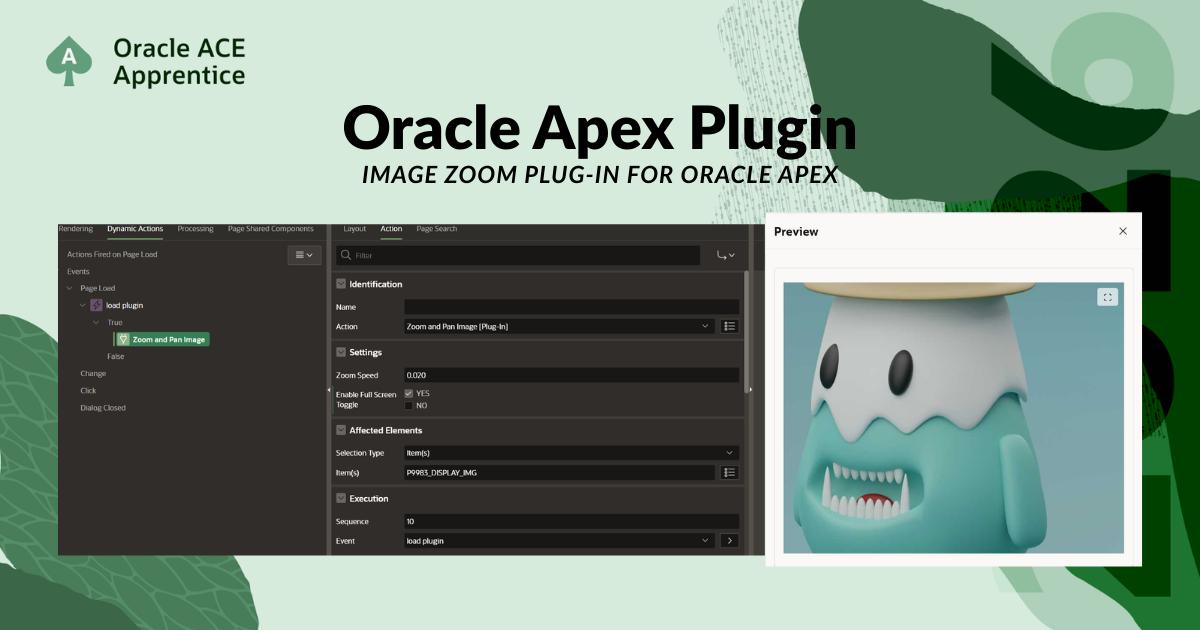
Instead of hardcoding the behavior, I built two configurable attributes in APEX Page Designer so a developer who does not know JavaScript can still control how the plug-in behaves. Attribute 1 controls the zoom speed and Attribute 2 toggles the fullscreen button on or off. You set these from the UI, no code required.
Who Is This For?
If you are building APEX applications that display medical images, product photos, engineering drawings, ID documents, or any kind of BLOB image that users need to inspect closely, this plug-in will save you a lot of time. Installing it takes literally four steps and after that it just works.
How to Install It
- Go to the GitHub Releases page and download the
.sqlfile - In your APEX application open Shared Components, then Plug-ins, then click Import
- Upload the downloaded
.sqlfile - Go to your page, create a Dynamic Action on your image region, and select this plug-in as the action
That’s it. No extra libraries, no CDN links, no configuration files.
Get It on GitHub
The full source code, installation guide, and attribute reference are all on GitHub:
github.com/Darkhound-droid/apex-image-zoom-plugin
If you use it and run into any issues or have a feature request, open a GitHub Issue. And if you want to contribute, pull requests are very welcome.
This is just the start. I have a few ideas for future improvements like touch and pinch-to-zoom support for mobile and a minimap overlay for navigation when deeply zoomed in. But for now the core functionality is solid and production ready.
If you found this useful, share it with someone in the Oracle community who might need it. And if you’re an APEX developer who has been looking for exactly this, I hope it saves you some time.
Hassan Raza
Oracle ACE Apprentice | SH Software Solution, Pakistan



2 Comments
Comments are closed.