
 By
By Every Oracle APEX developer has been there. A user calls you and says “something went wrong on that page.” You open the app, try to reproduce it, and find that the context you need was never recorded or is no longer retained. That gap is why an intentional logging strategy matters.
This is one of the most frustrating situations in enterprise APEX development. And it happens more than it should.
I work on an Oracle APEX application used by 7000+ users across our organization. At that scale, errors are not rare. They’re constant. Some are minor, some are critical, and some only happen at 2 AM when a scheduled job runs in the background. If you don’t have a proper logging strategy, you are genuinely flying blind in production.
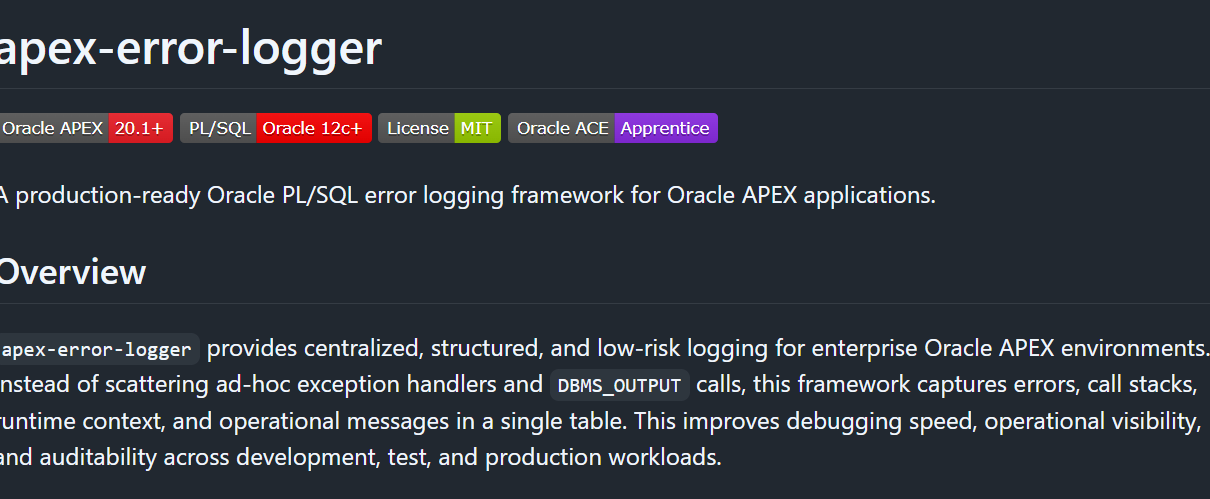
So I built something about it. This post covers apex-error-logger, a PL/SQL error logging framework I open-sourced on GitHub. I’ll walk through what it does, how it works, why I built it instead of just relying on APEX_DEBUG, and how you can use it in your own applications.
GitHub: https://github.com/hassan-pk/apex-error-logger
What’s Wrong With How Most People Handle Errors
Before I show you the framework, let me be honest about what most APEX developers actually do for error handling in production applications.
Most PL/SQL processes look something like this:
BEGIN
  -- business logic
EXCEPTION
  WHEN OTHERS THEN
    HTP.P('Error: ' || SQLERRM);
END;
Printing raw SQLERRM with HTP.P can expose internal details and produce unsafe HTML. Let an unexpected exception propagate to APEX’s safe central error handling, or log it in a restricted store and re-raise; show users a generic message rather than raw database errors.
An ad hoc browser message is not a logging strategy. Capture the diagnostic context you need in a restricted log, preserve the original exception for the caller, and use a safe user-facing error handler. Background jobs need their own instrumentation and Scheduler run-detail review because there is no browser page to display an error on.
Why Not Just Use APEX_DEBUG?
This is a fair question and one I want to answer properly because I got this same feedback when I shared the repo.
APEX_DEBUG is useful in production as well as development. APEX_DEBUG.ERROR logs even when debug mode is off. Messages do not disappear merely because a user logs out: APEX stores queryable debug messages subject to its retention and purge settings, with multiple message levels. My reason for a custom table is control over schema-owned business fields, reporting access, retention and explicit instrumentation of application jobs. See Oracle’s debug-message reporting documentation.
Here is a side-by-side comparison:
| Design choice | APEX_DEBUG / native facilities | PKG_ERROR_LOGGER |
|---|---|---|
| Error capture | APEX_DEBUG.ERROR logs with debug off; configurable levels and filtering | Explicit calls write application log rows |
| Persistence and retention | Stored messages with configured APEX retention | Schema-owned table with an application purge policy |
| Business context | Can be included in instrumented messages | Dedicated module, severity and additional-info fields |
| Reporting | APEX debug reports and queryable messages | Custom, authorized Interactive Report |
| Background jobs | Scheduler run details; APEX APIs require suitable context | Explicit step/error logging without a browser request |
| Transaction design | Use the documented API behavior | Autonomous committed rows; best-effort failure handling |
Use the tools together: native debug output explains APEX execution, Scheduler records job runs, and the custom table adds the domain-specific fields and operational reports your application needs. A mutable application log with a purge routine is not, by itself, a tamper-resistant compliance audit trail.
What the Framework Does
The framework has one central logging table called APP_ERROR_LOG and one package called PKG_ERROR_LOGGER. That’s essentially it. Simple by design.
For every error, the framework automatically captures:
- SQLCODE and SQLERRM for the error itself
- DBMS_UTILITY.FORMAT_ERROR_BACKTRACE for the exact line number where the error occurred
- DBMS_UTILITY.FORMAT_CALL_STACK for the full execution path
- APEX_APPLICATION.G_USER for who was logged in
- APEX_APPLICATION.G_FLOW_ID and G_FLOW_STEP_ID for which app and page
- APEX_APPLICATION.G_INSTANCE for the session ID
- SYS_CONTEXT(‘USERENV’, ‘HOST’) for the database client’s host, often the ORDS host
- Any additional context you want to pass in yourself
The Table Structure
First, run 01_create_table.sql to create APP_ERROR_LOG. The table and package shown here are excerpts, not the complete installer: 02_create_sequence.sql must also install the sequence and ID-populating trigger before an insert that omits log_id can work.
CREATE TABLE app_error_log (
    log_id            NUMBER                     NOT NULL,
    error_code        VARCHAR2(50 CHAR),
    error_message     VARCHAR2(4000 CHAR),
    error_stack       CLOB,
    severity          VARCHAR2(20 CHAR)          DEFAULT 'ERROR' NOT NULL,
    module_name       VARCHAR2(255 CHAR),
    apex_user         VARCHAR2(255 CHAR),
    apex_app_id       NUMBER,
    apex_page_id      NUMBER,
    apex_session_id   VARCHAR2(100 CHAR),
    additional_info   CLOB,
    created_at        TIMESTAMP WITH TIME ZONE   DEFAULT SYSTIMESTAMP NOT NULL,
    server_host       VARCHAR2(255 CHAR),
    CONSTRAINT app_error_log_pk PRIMARY KEY (log_id),
    CONSTRAINT app_error_log_severity_ck
        CHECK (severity IN ('INFO', 'WARNING', 'ERROR', 'FATAL'))
);
The severity check constraint enforces exactly four values. This is intentional. Consistent severity values mean you can build reliable alerting and filtering on top of the table later.
The Package
The package spec (03_pkg_error_logger_spec.sql) exposes five operations:
CREATE OR REPLACE PACKAGE pkg_error_logger IS

    PROCEDURE log_error (
        p_module           IN VARCHAR2,
        p_severity         IN VARCHAR2 DEFAULT 'ERROR',
        p_additional_info  IN CLOB DEFAULT NULL
    );

    PROCEDURE log_message (
        p_module    IN VARCHAR2,
        p_message   IN VARCHAR2,
        p_severity  IN VARCHAR2 DEFAULT 'INFO'
    );

    PROCEDURE purge_logs (
        p_older_than_days IN NUMBER DEFAULT 90
    );

    FUNCTION get_error_count (
        p_severity    IN VARCHAR2 DEFAULT NULL,
        p_since_hours IN NUMBER DEFAULT 24
    ) RETURN NUMBER;

    FUNCTION format_apex_context RETURN VARCHAR2;

END pkg_error_logger;
LOG_ERROR is for exceptions. Call it inside your WHEN OTHERS handler. LOG_MESSAGE is for non-error informational logging, useful for tracking progress in long-running processes. PURGE_LOGS handles retention. GET_ERROR_COUNT lets you build quick dashboards or health checks. FORMAT_APEX_CONTEXT returns a formatted string with the current app, page, user, and session.
The Most Important Part: PRAGMA AUTONOMOUS_TRANSACTION
This is the transaction-isolation choice that lets a committed log row survive a rollback of the caller. Production readiness also requires correct installation, authorization, retention, capacity planning and an observable logger-health check.
Inside LOG_ERROR and LOG_MESSAGE, the very first line of the procedure is:
PRAGMA AUTONOMOUS_TRANSACTION;Here is why this matters. Imagine a user submits a form, your PL/SQL process runs, something goes wrong, and you call LOG_ERROR. If the logging procedure shared the same transaction as the main process, and you then do a ROLLBACK to clean up the failed operation, your log record gets rolled back too. The error evidence disappears exactly when you need it most.
PRAGMA AUTONOMOUS_TRANSACTION tells Oracle to run the logging in a completely separate transaction. The log record commits independently, regardless of what happens in the calling transaction. Even if the main transaction rolls back, the log stays.
Here is an excerpt from the complete package body. The private normalize_severity helper and other package routines are defined there; this fragment cannot be compiled on its own.
PROCEDURE log_error (
    p_module           IN VARCHAR2,
    p_severity         IN VARCHAR2 DEFAULT 'ERROR',
    p_additional_info  IN CLOB DEFAULT NULL
)
IS
    PRAGMA AUTONOMOUS_TRANSACTION;
    v_error_code      VARCHAR2(50);
    v_error_message   VARCHAR2(4000);
    v_error_stack     CLOB;
BEGIN
    v_error_code    := TO_CHAR(SQLCODE);
    v_error_message := SQLERRM;
    v_error_stack   := DBMS_UTILITY.format_error_backtrace
                       || CHR(10)
                       || DBMS_UTILITY.format_call_stack;

    INSERT INTO app_error_log (
        error_code, error_message, error_stack,
        severity, module_name,
        apex_user, apex_app_id, apex_page_id, apex_session_id,
        additional_info, server_host
    ) VALUES (
        v_error_code, v_error_message, v_error_stack,
        normalize_severity(p_severity, 'ERROR'), p_module,
        apex_application.g_user,
        apex_application.g_flow_id,
        apex_application.g_flow_step_id,
        TO_CHAR(apex_application.g_instance),
        p_additional_info,
        SYS_CONTEXT('USERENV', 'HOST')
    );

    COMMIT;
EXCEPTION
    WHEN OTHERS THEN
        ROLLBACK;
END log_error;
LOG_ERROR deliberately rolls back its own work and suppresses a logging failure, so the original business error is not replaced by a logger error. That is best-effort telemetry, not a delivery guarantee. After installation and deployments, write a uniquely named log_message smoke-test entry, verify the row from a separate session, and alert through an independent monitoring path if it is absent. Test that a caller rollback leaves that committed log row intact.
How to Use It in Your APEX Processes
The basic pattern is straightforward. Wherever you have a PL/SQL process in APEX, wrap your business logic like this:
BEGIN
  -- Your business logic
  INSERT INTO orders (order_id, customer_id, order_total)
  VALUES (:P10_ORDER_ID, :P10_CUSTOMER_ID, :P10_ORDER_TOTAL);

EXCEPTION
  WHEN OTHERS THEN
    pkg_error_logger.log_error(
      p_module          => 'PROCESS_ORDER',
      p_severity        => 'ERROR',
      p_additional_info => 'Order ID: ' || :P10_ORDER_ID
    );
    RAISE;
END;
The p_additional_info parameter is where you pass in any business context that helps you understand the error later. Order IDs, customer references, amounts, whatever is relevant to that specific process. This is the difference between a log that says “ORA-01400: cannot insert NULL” and a log that says “ORA-01400: cannot insert NULL | Order ID: 48291 | Customer: 10043”.
For informational step tracking during complex processes:
BEGIN
  pkg_error_logger.log_message(
    p_module   => 'ORDER_WORKFLOW',
    p_message  => 'Payment validation passed for order ' || :P10_ORDER_ID,
    p_severity => 'INFO'
  );

  -- continue with next step...
END;
The Scheduler Integration: Application-Level Job Context
I added 07_scheduler_job.sql to record application-specific milestones in background processing. This complements the Scheduler’s native job-run logs; it does not replace them.
A Scheduler job normally runs in its own database session without an existing browser-page context, so APEX page/user globals may be empty. The custom logger writes directly to the application table. Some APEX APIs can also be used after explicitly creating or attaching suitable context with APEX_SESSION. Do not assume a background job automatically inherits the user who scheduled it.
Here is a real pattern for a nightly background job:
CREATE OR REPLACE PROCEDURE proc_nightly_data_cleanup IS
    c_module_name CONSTANT VARCHAR2(255) := 'PROC_NIGHTLY_DATA_CLEANUP';
BEGIN
    pkg_error_logger.log_message(
        p_module   => c_module_name,
        p_message  => 'Nightly cleanup started.',
        p_severity => 'INFO'
    );

    pkg_error_logger.log_message(
        p_module   => c_module_name,
        p_message  => 'Step 1/4: Archiving old records.',
        p_severity => 'INFO'
    );

    -- your actual cleanup logic here

    pkg_error_logger.log_message(
        p_module   => c_module_name,
        p_message  => 'Nightly cleanup completed successfully.',
        p_severity => 'INFO'
    );

    COMMIT;
EXCEPTION
    WHEN OTHERS THEN
        pkg_error_logger.log_error(
            p_module          => c_module_name,
            p_severity        => 'ERROR',
            p_additional_info => 'Nightly cleanup failed during scheduled processing.'
        );
        ROLLBACK;
        RAISE;
END proc_nightly_data_cleanup;
Then schedule it with DBMS_SCHEDULER:
BEGIN
    DBMS_SCHEDULER.create_job(
        job_name        => 'JOB_NIGHTLY_DATA_CLEANUP',
        job_type        => 'STORED_PROCEDURE',
        job_action      => 'PROC_NIGHTLY_DATA_CLEANUP',
        start_date      => SYSTIMESTAMP,
        repeat_interval => 'FREQ=DAILY;BYHOUR=2;BYMINUTE=0;BYSECOND=0',
        enabled         => TRUE,
        auto_drop       => FALSE,
        comments        => 'Nightly cleanup with full telemetry via PKG_ERROR_LOGGER.'
    );
END;
These explicit calls can record the start, milestones and completion of each run. Missing entries can also mean the logger failed, so check native Scheduler run details and logger health. Set the intended timezone in start_date before enabling the example job; the calendar’s 2 AM is evaluated in that timezone.
The monitoring query at the bottom of 07_scheduler_job.sql lets you see job health at a glance:
SELECT TO_CHAR(created_at, 'YYYY-MM-DD HH24:00') AS log_hour,
       module_name,
       severity,
       COUNT(*) AS entry_count
  FROM app_error_log
 WHERE created_at >= SYSTIMESTAMP - NUMTODSINTERVAL(24, 'HOUR')
   AND (module_name LIKE 'PROC\_%' ESCAPE '\'
        OR module_name LIKE 'JOB\_%' ESCAPE '\')
 GROUP BY TO_CHAR(created_at, 'YYYY-MM-DD HH24:00'),
          module_name,
          severity
 ORDER BY log_hour DESC, module_name, severity;
Building the Log Viewer in APEX
The repository includes apex/log_viewer_query.sql. The adapted query below adds explicit date conversion and UTC day boundaries for the TIMESTAMP WITH TIME ZONE column. It is a documentation-reviewed example, not a claim that this revised query was executed in every supported APEX version. Keep the severity classes controlled by the CASE expression.
WITH params AS (
  SELECT TO_DATE(:PXX_FROM_DATE, 'FXYYYY-MM-DD') AS from_day,
         TO_DATE(:PXX_TO_DATE, 'FXYYYY-MM-DD') AS to_day
    FROM dual
), bounds AS (
  SELECT FROM_TZ(CAST(from_day AS TIMESTAMP), 'UTC') AS from_ts,
         FROM_TZ(CAST(to_day + 1 AS TIMESTAMP), 'UTC') AS to_ts
    FROM params
)
SELECT l.log_id,
       l.created_at,
       l.severity,
       CASE l.severity
           WHEN 'FATAL'   THEN 'severity-red'
           WHEN 'ERROR'   THEN 'severity-orange'
           WHEN 'WARNING' THEN 'severity-yellow'
           WHEN 'INFO'    THEN 'severity-green'
           ELSE 'severity-default'
       END AS severity_css_class,
       l.module_name,
       l.error_message,
       l.apex_user,
       l.apex_app_id,
       l.apex_page_id,
       DBMS_LOB.SUBSTR(l.additional_info, 2000, 1) AS additional_info_preview,
       DBMS_LOB.SUBSTR(l.error_stack, 2000, 1) AS error_stack_preview
  FROM app_error_log l
 CROSS JOIN bounds b
 WHERE (:PXX_SEVERITY IS NULL OR l.severity = :PXX_SEVERITY)
   AND (:PXX_MODULE IS NULL OR l.module_name LIKE :PXX_MODULE || '%')
   AND (b.from_ts IS NULL OR l.created_at >= b.from_ts)
   AND (b.to_ts IS NULL OR l.created_at < b.to_ts)
 ORDER BY l.created_at DESC;
Replace PXX with your page number and create the four filter items. Set both date pickers’ format mask to YYYY-MM-DD, validate date values and that the from date is not after the to date, and label these filters as UTC dates. The range includes the from day and excludes midnight after the to day, including fractional timestamps correctly. A local-business-day report needs the chosen named timezone applied to each midnight boundary instead of UTC. See Oracle’s explicit date conversion guidance. For AJAX refreshes, enforce date validity server-side as well; page-submit validations alone do not run during a region refresh. The explicit TO_DATE calls reject malformed date strings rather than silently removing a filter. For a Dynamic Action refresh, include all four filters in the report’s Page Items to Submit so the server receives their latest values.
Access and data handling: protect the log-viewer page and its report with an explicit administrator authorization scheme, including direct-page access. Keep escaping enabled for error text and additional context. Do not log passwords, tokens or unnecessary personal data; restrict grants to the log table, redact business details where possible and enforce retention. Test an unauthorized account and direct URL as well as the normal admin path.
Three Prebuilt Views
The framework also installs three views for quick reporting:
V_ERROR_LOG_RECENT returns the last 100 log entries ordered by most recent first. Good for a quick-glance dashboard region.
V_ERROR_LOG_SUMMARY groups today’s entries by severity and module. Use this on an admin home page to see at a glance which modules are generating the most noise today.
V_ERROR_LOG_FATAL shows all FATAL severity entries from the last 7 days. If something is in this view, it needs attention.
Automatic Retention with PURGE_LOGS
The framework includes a PURGE_LOGS procedure with a default retention of 90 days. Schedule it weekly using DBMS_SCHEDULER:
BEGIN
    DBMS_SCHEDULER.create_job(
        job_name        => 'JOB_PURGE_APP_ERROR_LOG',
        job_type        => 'PLSQL_BLOCK',
        job_action      => 'BEGIN pkg_error_logger.purge_logs(90); END;',
        start_date      => SYSTIMESTAMP,
        repeat_interval => 'FREQ=WEEKLY;BYDAY=SUN;BYHOUR=2;BYMINUTE=0;BYSECOND=0',
        enabled         => TRUE
    );
END;
This keeps your log table lean without any manual maintenance.
Installation
Clone the repo and run the SQL files in order:
@sql/01_create_table.sql
@sql/02_create_sequence.sql
@sql/03_pkg_error_logger_spec.sql
@sql/04_pkg_error_logger_body.sql
@sql/05_create_views.sql
Files 06 and 07 are optional examples. The framework is compatible with Oracle Database 12c and above and Oracle APEX 20.1 and above.
The base install needs CREATE TABLE, CREATE SEQUENCE, CREATE TRIGGER, CREATE PROCEDURE and CREATE VIEW, plus an appropriate tablespace quota and access to the referenced APEX APIs. Optional Scheduler examples also need CREATE JOB in the appropriate execution context. Use direct relevant grants for definer-rights stored code rather than assuming role privileges will apply.
Final Thoughts
Error handling in production APEX applications is not optional. At any meaningful scale, errors will happen, and the difference between resolving them in 5 minutes and spending half a day investigating is having a proper log to look at.
The apex-error-logger framework is designed to be dropped into any existing APEX application with minimal effort. It does not require any third-party dependencies, it does not interfere with your existing transaction management, and it works equally well whether the error comes from an APEX page process or a background scheduler job running in the middle of the night.
If you find it useful or have suggestions for improvement, the GitHub repository is open. Pull requests and issues are welcome.


2 Comments
Comments are closed.