
Oracle APEX Commercial Plugin
BioSig Pro for Oracle APEX
Capture mouse, touch, and stylus signatures with Oracle-native storage, UUID-based page items, and SHA-256 verification before confirmation.
- APEX 23.2+
- Oracle-native
- No external API
Verified on Oracle APEX 23.2 and 26.1.
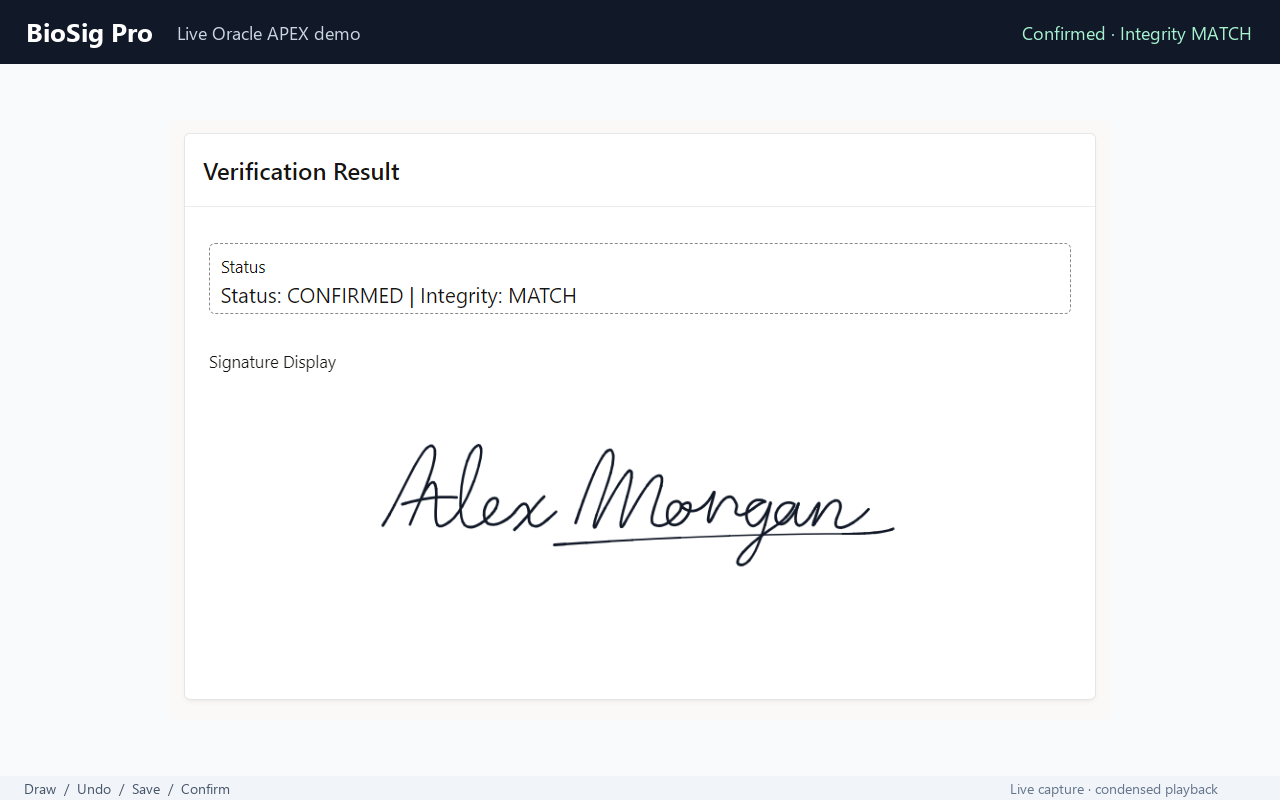
A smaller page-item value
Keep the signature out of page-item transport.
Large Base64 signatures make page-item and session-state transport carry the image payload itself. BioSig Pro V2 separates signature upload from the value your APEX page submits.
Before
The page item carries the payload
- Signature data is encoded as a large Base64 string.
- Page-item transport must accommodate the encoded payload and its size limits.
- Signature storage becomes coupled to page-item and session-state handling.
With BioSig Pro V2
The page item carries a UUID
- Signature data is uploaded separately using chunked AJAX.
- Canonical stroke data and a raster image are persisted in Oracle.
- The APEX page item stores the UUID that identifies the signature.
The signature payload does not travel through the page item. Chunked upload handles that transfer separately.
Product capabilities
Capture, store, and confirm.
Signature capture controls and Oracle persistence, with a UUID-based connection to your APEX page.
Mouse / Touch / Stylus
Capture signatures through Pointer Events, with pressure-aware drawing where the device and browser support it.
Autosave
Save signature changes during capture as part of the plugin workflow.
Undo / Redo / Clear
Let users revise individual strokes or clear the signature and start again.
UUID-based page item
Keep a signature UUID in the APEX page item instead of passing the signature payload through it.
Oracle CLOB/BLOB storage
Persist signature data in Oracle using CLOB/BLOB storage.
SHA-256 verification
Compare the browser digest with an independently recomputed server digest before confirmation.
Raster + canonical stroke data
Store canonical, versioned stroke/vector JSON alongside a PNG or JPEG raster image.
Declarative APEX configuration
Configure the plugin directly in APEX Page Designer, with support for multiple plugin instances.
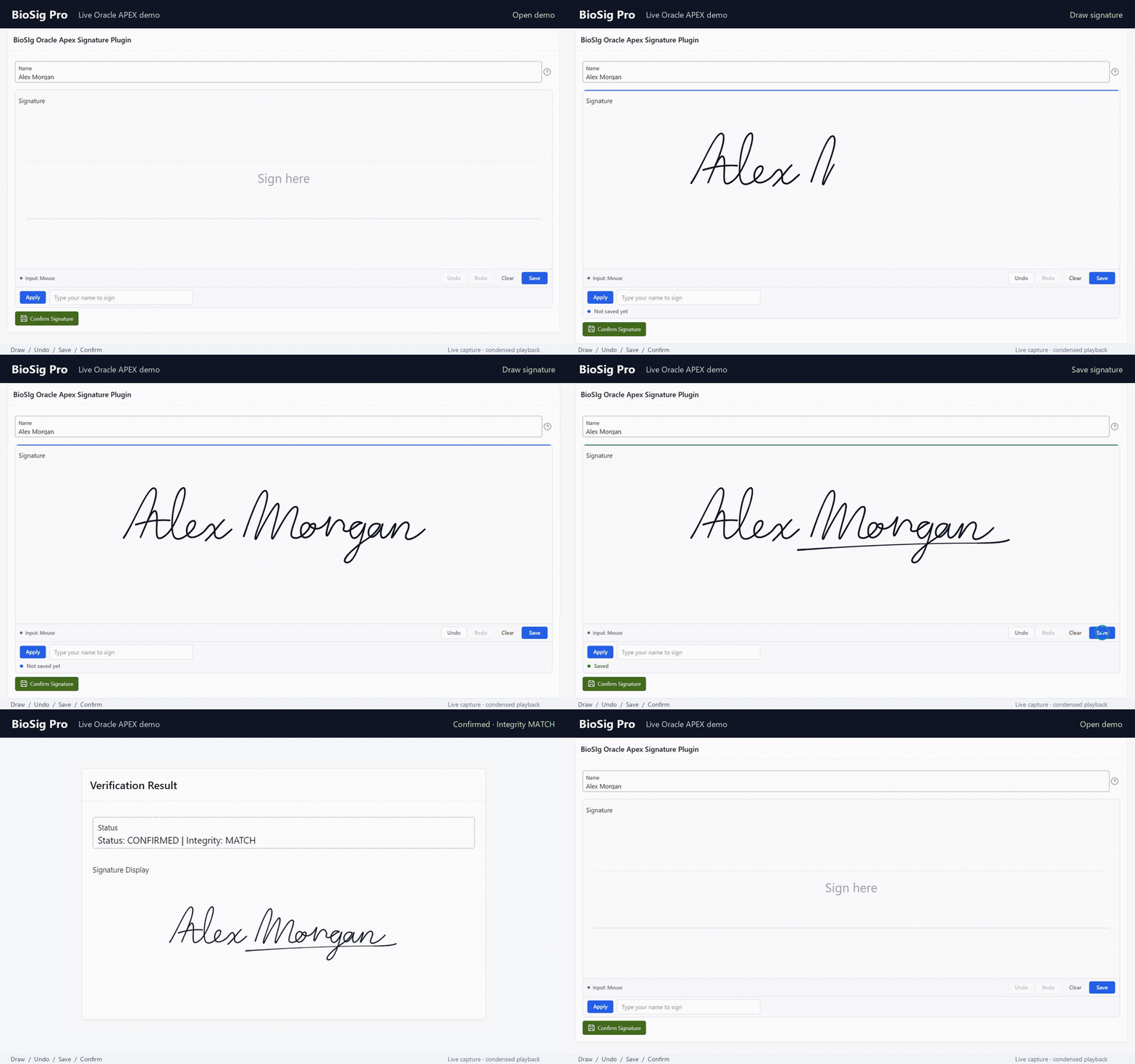
Product walkthrough
See the signature capture experience.
Explore the capture interface, editing controls, and confirmation workflow.
How it works
From a drawn signature to a confirmed record.
The signature payload and page-item value take different paths. They meet again at server-side verification.
- 01
Draw
Capture the user's strokes.
- 02
Chunked AJAX upload
Transfer the signature payload.
- 03
Oracle persistence
Store canonical data and raster.
- 04
UUID in page item
Reference the stored signature.
- 05
Submit
Pass the UUID with the page.
- 06
SHA-256 verification
Recompute and compare digests.
- 07
Confirmed
Confirm only when hashes MATCH.
Confirmation requires a hash MATCH. A saved signature and a confirmed signature are distinct stages.
Declarative configuration
Configure the plugin in Page Designer.
Thirteen attributes cover the capture surface, input behavior, editing controls, and raster output.
Capture surface
- Canvas Width
- Set the width of the signature canvas.
- Canvas Height
- Set the height of the signature canvas.
- Background
- Configure the canvas background.
- Placeholder
- Set the prompt shown in the signature area.
Drawing and input
- Pen Color
- Choose the signature pen color.
- Pen Width
- Configure the drawing stroke width.
- Pressure
- Configure pressure-aware drawing where supported.
- Allow Typed Signature
- Configure whether typed signatures are allowed.
Editing and saving
- Show Undo/Redo
- Configure the visibility of undo and redo controls.
- Autosave
- Configure automatic saving during signature capture.
Raster output
- Stored Raster Format
- Choose PNG or JPEG for the stored raster image.
- JPEG Quality
- Configure the quality of JPEG raster output.
- Export Scale
- Configure the scale used for raster export.
Pressure-aware drawing depends on device and browser support.
Installation & documentation
Install the plugin. Add confirmation.
Four steps connect the database package, the APEX item, and your page's confirmation process.
Run the database installer
Run
biosig_install_all.sql.Import the plugin SQL
Import the BioSig Pro APEX plugin SQL into your application.
Add the item
Add a BioSig Pro V2 item to a page and configure its attributes.
Add confirmation
Add a confirmation process that passes the signature UUID to
biosig_pkg.confirm.
Minimal confirmation · PL/SQL
begin
    biosig_pkg.confirm(
        p_signature_uuid => :PXX_SIGNATURE
    );
end;
Link to a business object · PL/SQL
begin
    biosig_pkg.confirm(
        p_signature_uuid => :PXX_SIGNATURE,
        p_object_type    => 'ORDER',
        p_object_id      => to_char(:PXX_ORDER_ID)
    );
end;
Replace PXX_SIGNATURE and PXX_ORDER_ID with your page item names. In the second example, replace ORDER with your object type.
The product package includes configuration, usage, and integrity documentation, plus examples for displaying saved signatures.
Signature integrity
Verification before confirmation.
The browser's digest is checked against a digest independently recomputed on the server. Confirmation requires the two to match.
Client
Browser SHA-256 digest
The browser computes a SHA-256 digest for the signature data as part of the capture and upload workflow.
Server
Independent recomputation
The server independently recomputes SHA-256 and compares its result with the browser digest.
The signature can be confirmed only when the hashes match.
UUID-only page item
The APEX page item references the signature by UUID. It does not carry the signature payload.
Confirmed record lifecycle
Confirmed rows are intended to be immutable. Keep this distinction between saved and confirmed records in your application workflow.
Digest matching checks data integrity; it does not by itself establish the identity of the person who drew the signature.
Compatibility
Verified versions. Clear browser targets.
Minimum supported Oracle APEX version: 23.2. Verified environments and browser design targets are listed separately.
Verified
Oracle APEX
- Oracle APEX 23.2
- Oracle APEX 26.1
These are the APEX versions on which BioSig Pro V2 has been verified.
Designed for
Modern Pointer Events browsers
- Current Chrome, Edge, and Firefox
- Safari 16+
- Android Chrome
- iOS Safari 16+
These are browser design targets, not a full independently certified browser test matrix.
Pressure-aware drawing is available where supported by the input device and browser.
Commercial licensing
Simple licensing. One-time purchase.
Purchase BioSig Pro once for a single production Oracle APEX application. Development, test and staging environments for the same application are included.
BioSig Pro
Single Application License
$149 USD · one-time
No subscription. No external signature service required.
- 1 production Oracle APEX application
- Dev, test and staging included
- BioSig Pro plugin installer
- Oracle database installation package
- Documentation
- 12 months of product updates
- Email support
Secure checkout powered by Stripe.
What counts as one application?
One license covers the same Oracle APEX application across development, test, staging and production environments.
Questions before purchasing? Email hassan@shsoftwaresolution.com
What's included
The product package.
Installers, guides, and examples for adding BioSig Pro V2 to your Oracle APEX application.
- ✓APEX plugin installer
- ✓Database installer
- ✓Uninstall script
- ✓Configuration guide
- ✓Usage guide
- ✓Integrity documentation
- ✓Display signature examples
- ✓Commercial license
Frequently asked questions
Questions before you integrate.
Answers about signature storage, verification, compatibility, and licensing.
Does it require an external API?
No. BioSig Pro V2 does not require an external signature service or API. Signature data is persisted in Oracle.
What does the APEX page item store?
The page item stores the signature UUID. The signature payload is transferred separately using chunked AJAX; it does not travel through the page item.
Can I show the saved signature later?
Yes. A stored signature can be displayed from IMAGE_BLOB. The product package includes display signature examples.
Does it support mobile/touch?
Yes. Touch input is supported through Pointer Events. Android Chrome and iOS Safari 16+ are browser design targets; this is not a claim of a complete independent browser-matrix certification.
Does it support stylus input?
Yes. Stylus input is supported, including pressure-aware drawing where the device and browser provide that capability.
How does SHA-256 verification work?
The browser computes a SHA-256 digest, and the server independently recomputes its digest. Confirmation requires a hash MATCH.
Which APEX versions are supported?
The minimum supported version is Oracle APEX 23.2. BioSig Pro V2 has been verified on APEX 23.2 and 26.1.
Do I receive source code?
BioSig Pro V2 is a proprietary, commercial product. Contact Hassan to confirm source-code access before purchasing.
Can I use it in multiple applications?
The Single Application License covers one production APEX application, with development/test use. Contact Hassan about licensing multiple applications. Multiple plugin instances are supported; that is separate from the number of licensed applications.
Your next step
Add signature capture to your APEX application.
Review the license, explore installation and confirmation, or discuss your requirements with Hassan.